
WhatsApp is one of the most popular instant messaging applications. The Meta-owned platform has now added a new feature that will improve the chatting experience even more.

New WhatsApp Update
WA now allows users to chat with unknown phone numbers. This means that users will no longer have to save a phone number in order to chat with them.
The new WA feature, which is available on both Android and iOS, allows users to chat with any mobile number that is not in their phonebook.
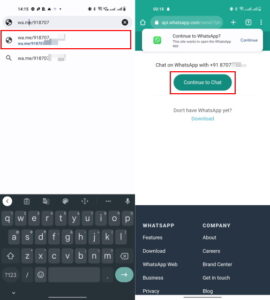
Previously, users were restricted from initiating a chat with someone on WA without first saving their contact information.
They frequently had to rely on third-party apps or official click-to-chat APIs, which could be more difficult to use for some users.
WhatsApp, on the other hand, hopes to simplify the process with this new feature, allowing users to start conversations without the need to save contacts in their address book.
When you enter an unknown phone number into the WA app, it searches beyond your contacts. To see if this feature is available for your WhatsApp account, simply access your contact lists and search for a phone number.
So, if you want to use the new WhatsApp feature and simplify your chatting experience, follow the steps below.
- Follow these steps to chat with an unknown number on WhatsApp
- Launch App on your Android or iOS device.
- Now, tap the icon to begin a new conversation.
- Next, select the unknown number from your contact list. WhatsApp will now begin searching for the number that is not in your contact list.
- When the search is finished, the number will appear on your screen, and you can begin chatting with it. You also don’t have to save the number in your contact list.
To read our blog on “How to use “TweetDeck” in 3 easy steps for managing account,” click here