
• Activities
    • Health
    • Education
    • Mobile
    • Sports
    • PSL
  • Economy
    • Auto Industry
    • Crypto Currency
    • Economy
    • Smart Devices
  • Tech
    • Startups
    • Social
    • Telecom
    • Technology
  • TechX World
Friday, July 17, 2026
Contact us on Whatsapp
TechX Pakistan
No Result
View All Result
  • Home
  • Health
  • Education
  • Sports
    • FIFA World Cup
    • Champions Trophy
    • ICC World Cup
    • Asia Cup
    • PSL
  • Technology
  • Real Estate
    • Property
  • Lawyer
    • Tax Calculator
    • FBR
  • About us
  • Contact
  • Home
  • Health
  • Education
  • Sports
    • FIFA World Cup
    • Champions Trophy
    • ICC World Cup
    • Asia Cup
    • PSL
  • Technology
  • Real Estate
    • Property
  • Lawyer
    • Tax Calculator
    • FBR
  • About us
  • Contact
No Result
View All Result
TechX Pakistan
  • Home
  • Health
  • Education
  • Sports
  • Technology
  • Real Estate
  • Lawyer
  • About us
  • Contact
Home Technology

Ufone 4G SIM Activation Guide for Pakistan in 2026

0xTechX by 0xTechX
July 17, 2026
in Technology
Reading Time: 8 mins read
A A
0

Ufone 4G SIM activation in Pakistan takes just a few minutes when you know the right steps. You need your original CNIC, a biometric thumb scan at an authorized outlet, and the SIM inserted in a 4G-capable phone. Once done, dial *4# to confirm your 4G status and you are ready to go.

Table of Contents

Toggle
  • What You Need Before You Start
  • Ufone 4G SIM Activation Step by Step
    • Step 1: Visit an Authorized Outlet
    • Step 2: Submit Your CNIC and Biometric
    • Step 3: Pay for the SIM
    • Step 4: Insert the SIM in Your Phone
    • Step 5: Confirm 4G Status
    • Step 6: Claim Your New SIM Free Offer
    • Step 7: Check Your Number and Balance
  • Upgrading an Old Ufone SIM to 4G
  • Reactivating an Inactive Ufone SIM (SIM Lagao Offer)
  • Ufone eSIM Activation (No Physical Card)
  • Key USSD Codes at a Glance
  • Common Problems and How to Fix Them
    • Problem: SIM is inserted but shows no signal
    • Problem: 4G is not showing, only 3G or H+
    • Problem: Biometric thumb scan keeps failing
    • Problem: The *5000# SIM Lagao code gives an error
    • Problem: New SIM is active but no 4G internet
  • After Activation: Add Balance and Get a Package
  • Frequently Asked Questions
    • Can I activate a Ufone 4G SIM without my CNIC?
    • Is there a fee for upgrading from a 3G SIM to a 4G SIM?
    • How do I know if my phone supports Ufone 4G?
    • What is the difference between Ufone 4G SIM and Ufone eSIM?

What You Need Before You Start

  • Your original CNIC (computerized national identity card). No photocopy is accepted.
  • A working thumb (biometric verification is mandatory by PTA rules).
  • A 4G-compatible, PTA-approved handset.
  • Rs. 100 to Rs. 250 in cash for the SIM cost (price varies by area and retailer).

Keep these ready before you visit any franchise or retailer. Missing even one item means you cannot complete activation that day.

Ufone 4G SIM Activation Step by Step

Step 1: Visit an Authorized Outlet

Go to any Ufone franchise, service center, or authorized retailer near you. You can also order a SIM online at ufone.com/BMN and get it delivered, but you must still complete biometric verification before the SIM goes live.

Step 2: Submit Your CNIC and Biometric

Hand your original CNIC to the agent. They will enter your CNIC number into the Biometric Verification System (BVS). Place your thumb on the scanner. This is a legal requirement under Pakistan’s telecom laws and cannot be skipped. The scan takes about 10 seconds.

Step 3: Pay for the SIM

The SIM cost is between Rs. 100 and Rs. 250 depending on your area and the retailer. Pay in cash. The agent registers the SIM in your name on the spot.

Step 4: Insert the SIM in Your Phone

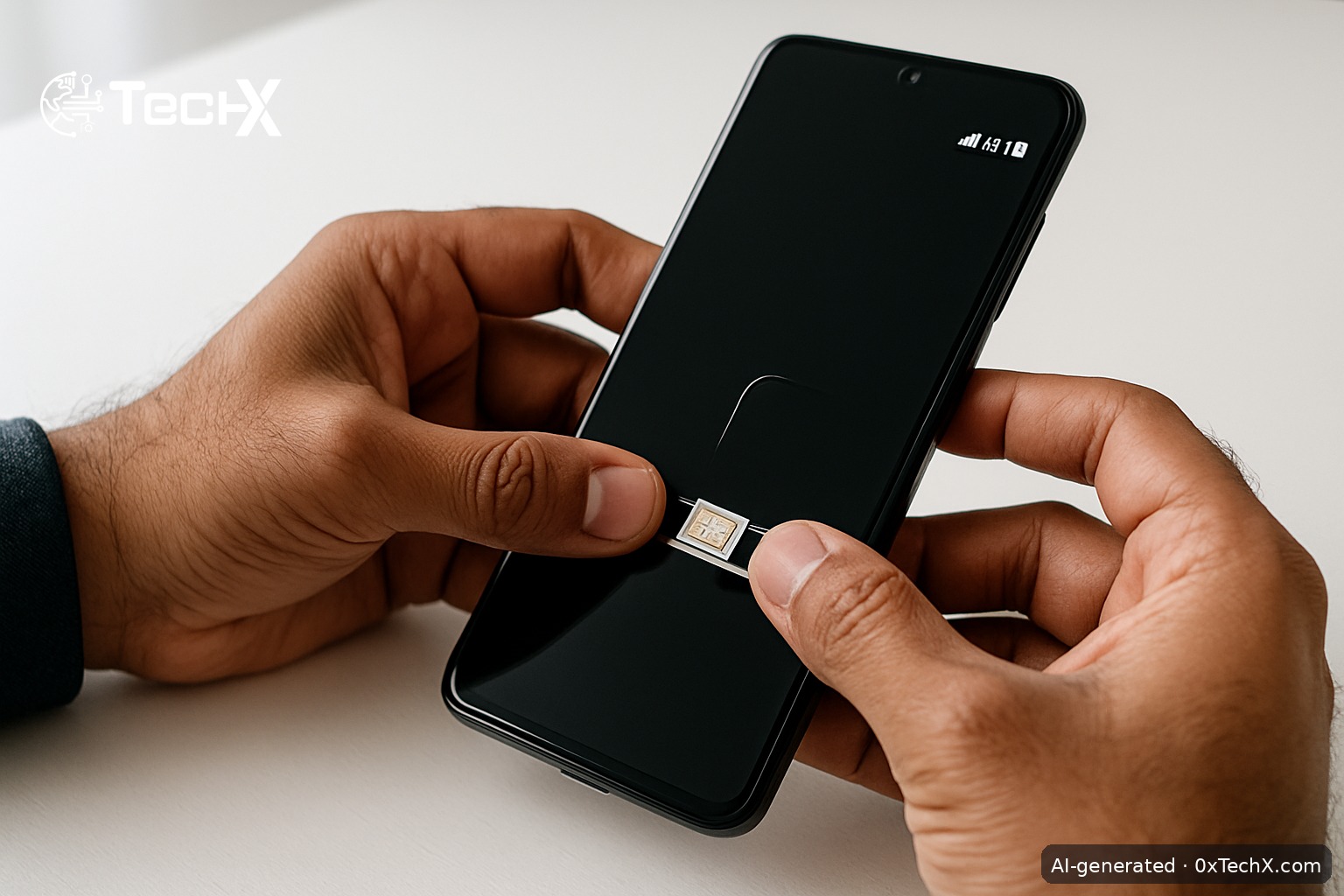
Put the new Ufone nano/micro SIM into your phone. Your phone must be 4G-capable and PTA-registered. If the phone is not PTA-registered, your SIM will not get 4G or even stable 2G service.

Step 5: Confirm 4G Status

Dial *4# from your Ufone number. This USSD code tells you whether your SIM and handset are both running on 4G. If it shows 3G only, your SIM may still be on an old profile. Ask the retailer to upgrade it, or visit a service center for a free SIM swap to a 4G SIM.

Step 6: Claim Your New SIM Free Offer

Dial *1000# to activate the Ufone Nayi SIM Offer. This gives new subscribers free data, on-net minutes, and SMS for 7 days. The offer can only be claimed once per new SIM.

Step 7: Check Your Number and Balance

  • Check your number: dial *780# (free, works without balance).
  • Check your balance: dial *124#.
  • Check remaining data or minutes: dial *706#.

Upgrading an Old Ufone SIM to 4G

If you already have an active Ufone SIM but it is running on 3G, you need a free SIM swap. Take your CNIC to any Ufone franchise and ask for a 4G SIM replacement. The swap itself is free of charge. Your existing number, balance, and packages transfer to the new 4G SIM. Dial *4# after the swap to confirm the upgrade.

Reactivating an Inactive Ufone SIM (SIM Lagao Offer)

If you have an old Ufone SIM that has been unused for more than 30 days, you do not need to buy a new SIM. Simply insert the old SIM into your phone and dial *5000#. You will get free data, daily minutes, and daily SMS valid for 60 days. This is the Ufone SIM Lagao Offer and it is completely free to activate.

Ufone eSIM Activation (No Physical Card)

Ufone also offers an eSIM, which is a digital SIM built into your phone. You do not get a physical card. Here is how to get one:

  1. Visit any Ufone Service Center or franchise with your CNIC.
  2. Complete biometric verification.
  3. Pay Rs. 2,000 (this applies to both new eSIM customers and those converting from a physical SIM).
  4. You receive an eSIM jacket with a unique QR code printed on it.
  5. On iPhone: go to Settings, then Cellular, then Add Cellular Plan, then scan the QR code.
  6. On Android: go to Settings, then SIM Card Manager, then Add Mobile Plan, then scan the QR code.

The eSIM QR code is unique to your account. Do not share it or photograph it for others. If you lose it before scanning, call Ufone on 333 immediately to cancel it and request a new one.

After eSIM activation, check your PTA DIRBS registration. Dial *#06# to get both your IMEIs, then send them by SMS to 8484 to confirm your device is whitelisted.

Key USSD Codes at a Glance

What You Want to Do USSD Code Cost
Check 4G status *4# Free
Claim Nayi SIM offer *1000# Free
Reactivate inactive SIM *5000# Free
Check your Ufone number *780# Free
Check account balance *124# Free
Check remaining data/mins *706# Free
Browse all packages *5588# Free
Ufone helpline 333 Free from Ufone

Common Problems and How to Fix Them

Problem: SIM is inserted but shows no signal

First check that the SIM is seated correctly in the tray. Restart your phone. If there is still no signal, check your handset is PTA-registered by sending your IMEI (dial *#06#) via SMS to 8484. An unregistered or tax-unpaid device will block all signals.

Problem: 4G is not showing, only 3G or H+

Your SIM may still be an older 3G-only profile. Visit the nearest Ufone franchise and ask for a free 4G SIM swap. Also check your phone settings: go to Mobile Networks and set the preferred network type to LTE or 4G. Some budget phones need this set manually.

Problem: Biometric thumb scan keeps failing

This sometimes happens if your thumb is too dry, too wet, or has a cut. Try your other thumb. The agent can use multiple fingers. If all fail, visit a Ufone service center (not just a small retailer) as they have better-quality scanners and trained staff.

Problem: The *5000# SIM Lagao code gives an error

This means your SIM was active within the last 30 days (even a tiny incoming SMS or call counts as activity). Wait until 30 full days of inactivity have passed, then try again. If the error persists, call 333 for help.

Problem: New SIM is active but no 4G internet

Open your phone’s mobile data settings and check the APN. For Ufone, the correct APN is ufone.pinternet or simply internet. Delete any wrong APN profile, add the correct one, save, and restart your phone. Most Ufone SIMs set this automatically, but imported phones sometimes do not.

After Activation: Add Balance and Get a Package

Load balance by buying a scratch card from any retailer, or top up digitally via JazzCash, Easypaisa, or your bank’s app using your Ufone number. Then dial *124# to confirm the balance has arrived. Once loaded, activate a package. For most everyday users, the Super Card (*250#) at Rs. 900 gives 10 GB, 2,000 on-net minutes, 225 off-net minutes, and 4,200 SMS for a full 30 days.

Frequently Asked Questions

Can I activate a Ufone 4G SIM without my CNIC?

No. CNIC and biometric thumb verification are both required by PTA law for every SIM activation in Pakistan. There is no way around this, and no retailer can legally activate a SIM without it.

Is there a fee for upgrading from a 3G SIM to a 4G SIM?

No. The 4G SIM swap is free of charge at any Ufone franchise or service center. You keep your existing number and any remaining balance. Just bring your CNIC for verification.

How do I know if my phone supports Ufone 4G?

Dial *4# from your Ufone number after inserting the SIM. If both your SIM and handset are 4G-ready, you will see a confirmation. You can also check ufone.com coverage map and your phone’s specifications for LTE Band 3 or Band 7 support, which Ufone uses in Pakistan.

What is the difference between Ufone 4G SIM and Ufone eSIM?

A physical 4G SIM is a small plastic card you insert into your phone’s SIM tray. An eSIM is digital with no plastic card at all. Both give you the same Ufone 4G service and packages. The eSIM costs Rs. 2,000 to set up, while a physical SIM costs Rs. 100 to Rs. 250. The eSIM only works on compatible, unlocked phones like recent iPhones and select Android flagship models.


Share47Tweet29Share8Send
0xTechX

0xTechX

0xTechX is a tech explorer navigating the worlds of AI, cybersecurity, cloud computing, startups, and digital transformation. Dedicated to uncovering trends, decoding innovations, and delivering stories that shape the future of technology. Powered by caffeine, curiosity, and countless lines of code.

Related Posts

Google AI Overviews Now Run Every Search and Pakistan Must Adapt

by 0xTechX
July 17, 2026
0

Google AI Overviews now power nearly every search result worldwide after July 10. Here is what Pakistani developers, content creators,...

Read moreDetails

AI Software Budgets Are Shrinking Fast and IBM Just Proved It

by 0xTechX
July 16, 2026
0

AI software budgets are under real pressure as IBM's Q2 miss shows firms rushing to buy servers and memory. Here...

Read moreDetails

Follow Us

Promoted

GITEX AI Europe 2026: Berlin’s Biggest AI & Tech Event

GITEX AI Europe 2026: Berlin’s Biggest AI & Tech Event

by Techx Editor
April 30, 2026
0

GITEX AI Europe 2026: Berlin to Host Europe’s Largest AI and Technology Gathering Europe is preparing to welcome one of...

GITEX Africa

GITEX Africa Morocco 2026 Africa Premier Technology & Startup Event

by TechX Content Specialist
March 17, 2026
0

GITEX Africa 2026 is one of the largest technology and startup events in Africa, scheduled to take place from April...

India AI Summit

India AI Summit An Analysis of Logistical Failures and Technical Hurdles

by TechX Content Specialist
February 23, 2026
0

As interest in Artificial Intelligence (AI) surges globally, South Asian nations are racing to establish themselves as regional tech hubs....

Pakistan to Host Indus AI Week 2026

Pakistan to Host Indus AI Week 2026

by TechX Editor
February 5, 2026
0

Join Indus AI Week 2026 in Islamabad from Feb 9-15, showcasing AI innovation, techathons, and global collaboration for Pakistan’s digital...

Recent News

Ufone 4G SIM Activation Guide for Pakistan in 2026

July 17, 2026

Google AI Overviews Now Run Every Search and Pakistan Must Adapt

July 17, 2026
Pak ID App Update Brings CNIC Preview and KP Civil Registration

Pak ID App Update Brings CNIC Preview and KP Civil Registration

July 17, 2026
Best Instagram Growth Platforms Reviewed

Best Instagram Growth Platforms Reviewed

July 17, 2026

K-Electric Billing Rumours on Social Media Mislead Karachi Consumers

July 17, 2026

Anthropic IPO Draws Wall Street’s Biggest Banks as October Listing Nears

July 17, 2026
Currently Playing

TechX Pakistan at GITEX Dubai 2024 | Innovation, AI & Global Tech Highlights

TechX Pakistan at GITEX Dubai 2024 | Innovation, AI & Global Tech Highlights

00:02:06

TechX Pakistan at LEAP 2025 | Saudi Arabia’s Mega Tech Conference Uncovered

00:03:37

Pakistan – The Mineral Marvel | Pakistan Pavilion at Future Minerals Forum 2025

00:03:09

TechX Pakistan at ITCN Asia Karachi 2024 | Innovation, Startups & Future Tech Highlights

00:02:22

TechX Pakistan at ITCN Asia Lahore 2024 | Official Media Partner Coverage

00:03:41

TechX x Doogee | GITEX 2024 Collaboration Featuring Iranian TikTok Star

00:01:09

Highlights from the World CIO 200 Summit - Pakistan Edition 2024 | TechX Pakistan

00:01:42

Leap 2024 | The most attended tech event in Saudi Arabia | covered by TechX Pakistan

00:03:46

Gitex Dubai 2023 Sneak Peeks by TechX Pakistan

00:01:47

Gitex Africa 2023: TechX Pakistan Honored To Cover The Event. @GITEXAFRICA

00:01:50

LEAP 2023, a Global Technology Event at Riyadh covered by TechX Pakistan

00:02:40

GITEX GLOBAL 2022 Presence of Pakistan, Connexion Lounge sponsored by @MinistryofITTelecomPakistan

00:01:40

ITCN Asia 2022 | 21st International IT and Telecom Show | Curtains Opened | TechX Pakistan

00:05:28

London Tech Week 2022 Highlights | #Pakistan #Software

00:02:58

#Zindigi Future Fest 2022 Curtains Opened | Day 01 Glimpses | Tour | TechX Pakistan

00:03:13

Wait is Over, ITCN Asia Pakistan Tech Fest 2022 is live now!

00:01:44

CXO Meetup Dubai by Tech Destination Pakistan - P@SHA x PSEX x MoITT

00:02:41

Workshop on IT Investment Opportunities by Tech Destination Pakistan

00:00:56

Pakistan Pavilion at GITEX Dubai 2021

00:01:39

#GITEX 2021 Curtains Opened | Day 01 Glimpses | 5G | Technology | Tour | TechX Pakistan

00:01:33

GITEX Technology Week 2020 by TechX Pakistan - Official Media Partner

00:01:27

Newsletter Subscription

Get daily/weekly tech updates, exclusive insights, and breaking news delivered directly to your inbox.

Loading

Since 2019, TechX Pakistan has been revolutionizing local tech and social blogging. We bring the latest news, interviews, and events on global and local advancements.

Join us in exploring IT startups, business insights, and social media trends. Celebrate and drive the tech evolution with us!

USEFUL LINKS

Home

About Us

Contact Us

Privacy Policy

Sponsored

Terms and Conditions

Site Map

CATEGORIES

Health

Crypto Currency

Technology

Sports

Finance

Curent Affairs

FOLLOW US

TECH INSIGHTS

Stay informed about the latest advancements in technology. Join our WhatsApp Group to receive curated news, insights, and updates straight to your inbox.

© 2025 TechX.pk - All right reserved 

No Result
View All Result
  • Home
  • Health
  • Education
  • Sports
    • FIFA World Cup
    • Champions Trophy
    • ICC World Cup
    • Asia Cup
    • PSL
  • Technology
  • Real Estate
    • Property
  • Lawyer
    • Tax Calculator
    • FBR
  • About us
  • Contact

© 2019 - 2024 TechX Pakistan - All Rights Reserved

Go to mobile version