
Ufone 4G SIM activation in Pakistan takes just a few minutes when you know the right steps. You need your original CNIC, a biometric thumb scan at an authorized outlet, and the SIM inserted in a 4G-capable phone. Once done, dial *4# to confirm your 4G status and you are ready to go.
What You Need Before You Start
- Your original CNIC (computerized national identity card). No photocopy is accepted.
- A working thumb (biometric verification is mandatory by PTA rules).
- A 4G-compatible, PTA-approved handset.
- Rs. 100 to Rs. 250 in cash for the SIM cost (price varies by area and retailer).
Keep these ready before you visit any franchise or retailer. Missing even one item means you cannot complete activation that day.
Ufone 4G SIM Activation Step by Step
Step 1: Visit an Authorized Outlet
Go to any Ufone franchise, service center, or authorized retailer near you. You can also order a SIM online at ufone.com/BMN and get it delivered, but you must still complete biometric verification before the SIM goes live.
Step 2: Submit Your CNIC and Biometric
Hand your original CNIC to the agent. They will enter your CNIC number into the Biometric Verification System (BVS). Place your thumb on the scanner. This is a legal requirement under Pakistan’s telecom laws and cannot be skipped. The scan takes about 10 seconds.
Step 3: Pay for the SIM
The SIM cost is between Rs. 100 and Rs. 250 depending on your area and the retailer. Pay in cash. The agent registers the SIM in your name on the spot.
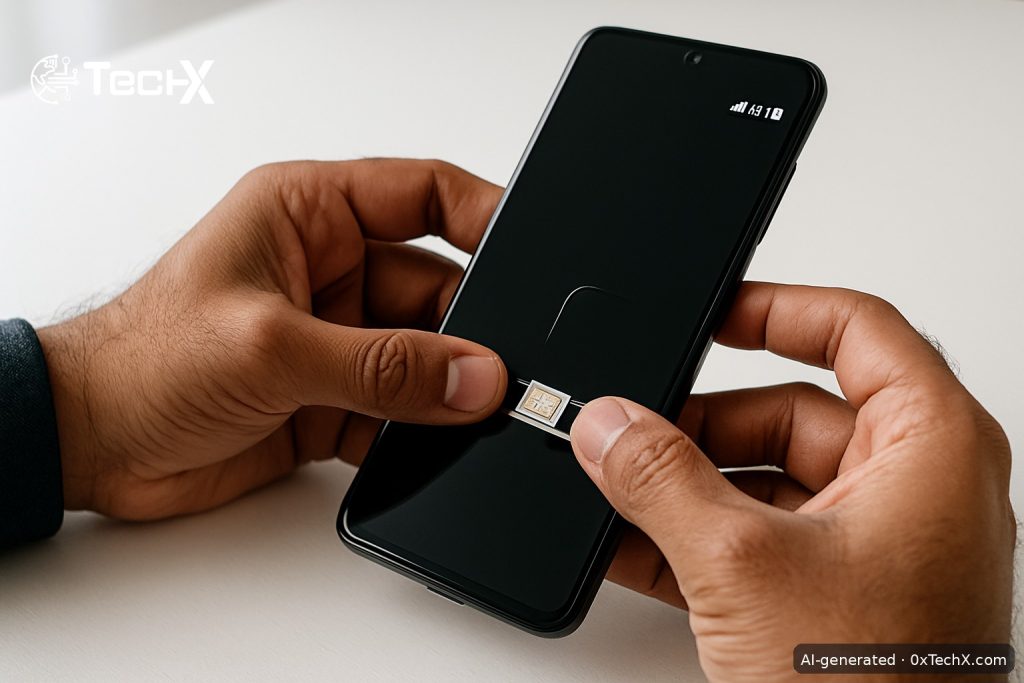
Step 4: Insert the SIM in Your Phone
Put the new Ufone nano/micro SIM into your phone. Your phone must be 4G-capable and PTA-registered. If the phone is not PTA-registered, your SIM will not get 4G or even stable 2G service.
Step 5: Confirm 4G Status
Dial *4# from your Ufone number. This USSD code tells you whether your SIM and handset are both running on 4G. If it shows 3G only, your SIM may still be on an old profile. Ask the retailer to upgrade it, or visit a service center for a free SIM swap to a 4G SIM.
Step 6: Claim Your New SIM Free Offer
Dial *1000# to activate the Ufone Nayi SIM Offer. This gives new subscribers free data, on-net minutes, and SMS for 7 days. The offer can only be claimed once per new SIM.
Step 7: Check Your Number and Balance
- Check your number: dial *780# (free, works without balance).
- Check your balance: dial *124#.
- Check remaining data or minutes: dial *706#.
Upgrading an Old Ufone SIM to 4G
If you already have an active Ufone SIM but it is running on 3G, you need a free SIM swap. Take your CNIC to any Ufone franchise and ask for a 4G SIM replacement. The swap itself is free of charge. Your existing number, balance, and packages transfer to the new 4G SIM. Dial *4# after the swap to confirm the upgrade.
Reactivating an Inactive Ufone SIM (SIM Lagao Offer)
If you have an old Ufone SIM that has been unused for more than 30 days, you do not need to buy a new SIM. Simply insert the old SIM into your phone and dial *5000#. You will get free data, daily minutes, and daily SMS valid for 60 days. This is the Ufone SIM Lagao Offer and it is completely free to activate.
Ufone eSIM Activation (No Physical Card)
Ufone also offers an eSIM, which is a digital SIM built into your phone. You do not get a physical card. Here is how to get one:
- Visit any Ufone Service Center or franchise with your CNIC.
- Complete biometric verification.
- Pay Rs. 2,000 (this applies to both new eSIM customers and those converting from a physical SIM).
- You receive an eSIM jacket with a unique QR code printed on it.
- On iPhone: go to Settings, then Cellular, then Add Cellular Plan, then scan the QR code.
- On Android: go to Settings, then SIM Card Manager, then Add Mobile Plan, then scan the QR code.
The eSIM QR code is unique to your account. Do not share it or photograph it for others. If you lose it before scanning, call Ufone on 333 immediately to cancel it and request a new one.
After eSIM activation, check your PTA DIRBS registration. Dial *#06# to get both your IMEIs, then send them by SMS to 8484 to confirm your device is whitelisted.
Key USSD Codes at a Glance
| What You Want to Do | USSD Code | Cost |
|---|---|---|
| Check 4G status | *4# | Free |
| Claim Nayi SIM offer | *1000# | Free |
| Reactivate inactive SIM | *5000# | Free |
| Check your Ufone number | *780# | Free |
| Check account balance | *124# | Free |
| Check remaining data/mins | *706# | Free |
| Browse all packages | *5588# | Free |
| Ufone helpline | 333 | Free from Ufone |
Common Problems and How to Fix Them
Problem: SIM is inserted but shows no signal
First check that the SIM is seated correctly in the tray. Restart your phone. If there is still no signal, check your handset is PTA-registered by sending your IMEI (dial *#06#) via SMS to 8484. An unregistered or tax-unpaid device will block all signals.
Problem: 4G is not showing, only 3G or H+
Your SIM may still be an older 3G-only profile. Visit the nearest Ufone franchise and ask for a free 4G SIM swap. Also check your phone settings: go to Mobile Networks and set the preferred network type to LTE or 4G. Some budget phones need this set manually.
Problem: Biometric thumb scan keeps failing
This sometimes happens if your thumb is too dry, too wet, or has a cut. Try your other thumb. The agent can use multiple fingers. If all fail, visit a Ufone service center (not just a small retailer) as they have better-quality scanners and trained staff.
Problem: The *5000# SIM Lagao code gives an error
This means your SIM was active within the last 30 days (even a tiny incoming SMS or call counts as activity). Wait until 30 full days of inactivity have passed, then try again. If the error persists, call 333 for help.
Problem: New SIM is active but no 4G internet
Open your phone’s mobile data settings and check the APN. For Ufone, the correct APN is ufone.pinternet or simply internet. Delete any wrong APN profile, add the correct one, save, and restart your phone. Most Ufone SIMs set this automatically, but imported phones sometimes do not.
After Activation: Add Balance and Get a Package
Load balance by buying a scratch card from any retailer, or top up digitally via JazzCash, Easypaisa, or your bank’s app using your Ufone number. Then dial *124# to confirm the balance has arrived. Once loaded, activate a package. For most everyday users, the Super Card (*250#) at Rs. 900 gives 10 GB, 2,000 on-net minutes, 225 off-net minutes, and 4,200 SMS for a full 30 days.
Frequently Asked Questions
Can I activate a Ufone 4G SIM without my CNIC?
No. CNIC and biometric thumb verification are both required by PTA law for every SIM activation in Pakistan. There is no way around this, and no retailer can legally activate a SIM without it.
Is there a fee for upgrading from a 3G SIM to a 4G SIM?
No. The 4G SIM swap is free of charge at any Ufone franchise or service center. You keep your existing number and any remaining balance. Just bring your CNIC for verification.
How do I know if my phone supports Ufone 4G?
Dial *4# from your Ufone number after inserting the SIM. If both your SIM and handset are 4G-ready, you will see a confirmation. You can also check ufone.com coverage map and your phone’s specifications for LTE Band 3 or Band 7 support, which Ufone uses in Pakistan.
What is the difference between Ufone 4G SIM and Ufone eSIM?
A physical 4G SIM is a small plastic card you insert into your phone’s SIM tray. An eSIM is digital with no plastic card at all. Both give you the same Ufone 4G service and packages. The eSIM costs Rs. 2,000 to set up, while a physical SIM costs Rs. 100 to Rs. 250. The eSIM only works on compatible, unlocked phones like recent iPhones and select Android flagship models.