
• Activities
    • Health
    • Education
    • Mobile
    • Sports
    • PSL
  • Economy
    • Auto Industry
    • Crypto Currency
    • Economy
    • Smart Devices
  • Tech
    • Startups
    • Social
    • Telecom
    • Technology
  • TechX World
Thursday, August 27, 2026
Contact us on Whatsapp
TechX Pakistan
No Result
View All Result
  • Home
  • Health
  • Education
  • Sports
    • FIFA World Cup
    • Champions Trophy
    • ICC World Cup
    • Asia Cup
    • PSL
  • Technology
  • Real Estate
    • Property
  • Lawyer
    • Tax Calculator
    • FBR
  • About us
  • Contact
  • Home
  • Health
  • Education
  • Sports
    • FIFA World Cup
    • Champions Trophy
    • ICC World Cup
    • Asia Cup
    • PSL
  • Technology
  • Real Estate
    • Property
  • Lawyer
    • Tax Calculator
    • FBR
  • About us
  • Contact
No Result
View All Result
TechX Pakistan
  • Home
  • Health
  • Education
  • Sports
  • Technology
  • Real Estate
  • Lawyer
  • About us
  • Contact
Home Technology

JazzCash Account Activation Without Visiting a Shop in Pakistan

0xTechX by 0xTechX
August 27, 2026
in Technology
Reading Time: 8 mins read
A A
0

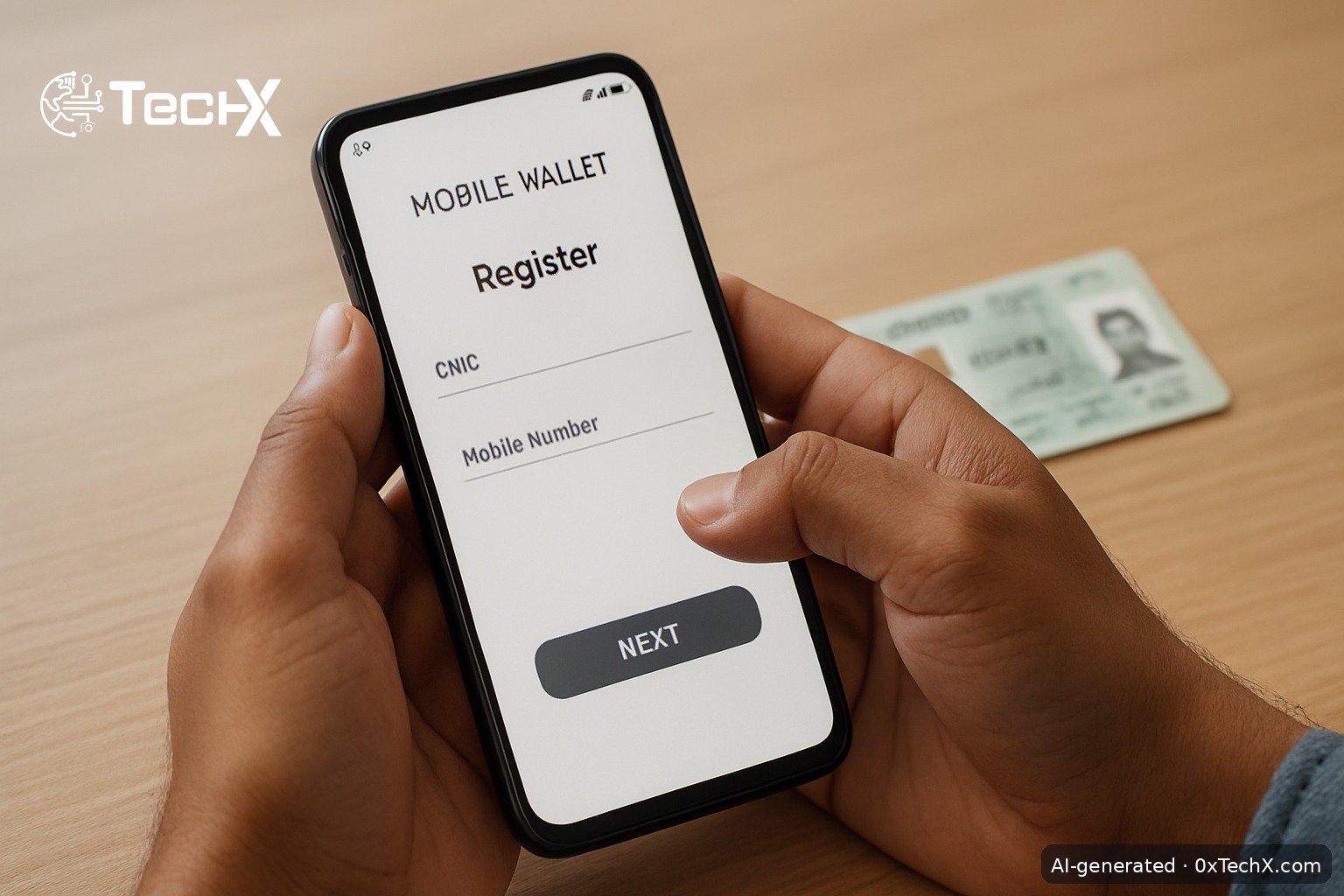
JazzCash account activation without visiting a shop is fully possible in 2026. You can do it right now using the JazzCash app on your phone or by dialling a USSD code, no agent visit required. This guide gives you every step, every screen name, fees in PKR, and fixes for the most common problems.

Table of Contents

Toggle
  • What You Need Before You Start
  • Method 1: Activate via the JazzCash App (Recommended for All Networks)
  • Method 2: Activate via USSD Code *786# (Jazz and Warid Users Only)
  • Understanding Account Levels and Limits
  • Key Fees to Know in PKR
  • Common Problems and How to Fix Them
    • Problem: OTP not received
    • Problem: CNIC number not accepted
    • Problem: Biometric scan fails in the app
    • Problem: Forgot MPIN
    • Problem: Account blocked or dormant
    • Problem: App crashing or not loading
  • One Thing Most Guides Miss: The SIM Name Rule
  • Frequently Asked Questions
    • Can I activate JazzCash without a Jazz SIM?
    • Is there any fee to open a JazzCash account?
    • How do I reset my MPIN if I forget it?
    • What happens if my account stays inactive for a long time?

What You Need Before You Start

  • A valid CNIC (not expired)
  • A mobile SIM registered under your own CNIC
  • A smartphone with internet access (for the app method)
  • Your CNIC issue date (for the USSD method)

Important: Your SIM must be biometrically registered in your own name. If your SIM is registered under a family member’s name, the account will not activate properly.

Method 1: Activate via the JazzCash App (Recommended for All Networks)

This method works whether you use Jazz, Zong, Ufone, or Telenor. It takes about five minutes.

  1. Download the app. Open Google Play Store or Apple App Store and search for JazzCash. Download and install the official app.
  2. Open the app and tap “Register”. On the home screen, tap the Register or Sign Up button.
  3. Enter your mobile number. Type your active SIM number. An OTP (one-time password) will arrive by SMS. Enter it to confirm.
  4. Enter your full name and CNIC number. Type your name exactly as it appears on your CNIC. Enter your 13-digit CNIC number.
  5. Complete in-app biometric verification. The app will ask you to scan your hands using your phone camera. First scan your left hand, then your right hand. This links your fingerprint data from NADRA to your account remotely.
  6. Set your MPIN. Create a 4-digit MPIN. This is your transaction PIN, used every time you send money or pay a bill. Memorise it and never share it.
  7. Set your app login PIN or use biometric login. This is a separate PIN just for opening the app.
  8. Wait for the confirmation SMS. Your account activates almost immediately for the basic level. You will get a welcome SMS from JazzCash.

The registration process itself is completely free of charge. There are no monthly or annual account fees.

Method 2: Activate via USSD Code *786# (Jazz and Warid Users Only)

No smartphone or internet needed for this method. It works on any basic Jazz or Warid handset.

  1. Dial *786# from your Jazz or Warid number and press the call button.
  2. A menu will appear on screen. Select the option for new account registration (usually the last option or option 0).
  3. Enter your CNIC number when prompted.
  4. Enter your CNIC issue date for identity confirmation.
  5. Create a 4-digit MPIN. Enter it twice to confirm.
  6. You will receive a confirmation SMS and your JazzCash account will be ready to use.

Note: The USSD method gives you a basic Level 0 account. To unlock higher limits, you will need to complete biometric verification (see the upgrade section below).

Understanding Account Levels and Limits

JazzCash uses a three-tier account system set by the State Bank of Pakistan. Your level decides how much you can send and receive.

Level How to Get It Daily Send Limit Key Feature
L0 (Basic) App or *786# registration Up to Rs. 25,000 Basic transfers and bill payments
L1 (Biometric Verified) In-app biometric scan or agent visit Up to Rs. 50,000 Cash in/out at agents, higher limits
Asaan Digital (L1 upgrade) In-app upgrade, Rs. 100 fee Higher limits Max balance Rs. 1 million, digital banking features
L2 Visit Mobilink Microfinance Bank branch Highest limits Large salary disbursements, business use

Most users can upgrade from L0 to L1 by completing the in-app biometric scan without going anywhere. To upgrade from L1 to the Asaan Digital Account, go to Menu > Upgrade Account in the app. A one-time fee of Rs. 100 is charged at the time of the upgrade request.

Key Fees to Know in PKR

  • Account opening: Free
  • Wallet-to-wallet transfers: Free on amounts under Rs. 200. Above Rs. 200, roughly 0.2% plus FED (about Rs. 2 to Rs. 4 per Rs. 1,000)
  • Raast transfers: Free for amounts under Rs. 25,000
  • Bill payments: Rs. 5 per transaction
  • ATM withdrawal: Rs. 35 per transaction
  • Asaan Digital Account upgrade: Rs. 100 (one time)
  • Annual account fee: None

Common Problems and How to Fix Them

Problem: OTP not received

Wait 60 seconds and tap “Resend OTP”. Check that your SIM has a signal and is not in airplane mode. If your SIM is registered under someone else’s name, OTP delivery may fail. Make sure your number is active.

Problem: CNIC number not accepted

Only a valid, non-expired CNIC works. If your CNIC has expired, even receiving money becomes impossible. Renew your CNIC at NADRA first, then try again. A photocopy or a photo of your CNIC on another phone will not work for verification.

Problem: Biometric scan fails in the app

Make sure your phone camera is clean and there is enough light. Flat your palm fully against the camera as instructed, first left hand then right. If it keeps failing after three tries, call the helpline at 4444 (Jazz users) or 021-111-124-444 (all networks) to request a manual reset.

Problem: Forgot MPIN

Open the JazzCash app and tap “Forgot MPIN”. Enter your CNIC number and date of birth. A temporary 4-digit MPIN will arrive by SMS. Use it to create a new MPIN. You can also dial *786*6*1*2# or call 4444 from a Jazz number to reset it.

Problem: Account blocked or dormant

Your account gets temporarily blocked after 12 months of no activity. To reactivate, simply complete biometric verification inside the app or call the helpline. If your CNIC expired during that period, you must renew it at NADRA first.

Problem: App crashing or not loading

Clear the app cache from your phone settings, then update the JazzCash app from the Play Store or App Store. If the app still does not work, uninstall and reinstall it. For urgent transactions while you fix the app, use the USSD code *786# instead.

One Thing Most Guides Miss: The SIM Name Rule

Almost every guide tells you to get your CNIC ready, but very few explain the SIM ownership rule clearly. If you are using a Jazz SIM that is registered under your father’s or spouse’s CNIC, your JazzCash registration will either fail or create a mismatched account that gets flagged later. Before you start, confirm your SIM is biometrically registered in your own name. You can check this by dialling *667# on Jazz. If the SIM is not in your name, visit a Jazz service centre with your CNIC to transfer it first.

Frequently Asked Questions

Can I activate JazzCash without a Jazz SIM?

Yes. You can open a JazzCash account on Ufone, Zong, or Telenor using the JazzCash app. The USSD method (*786#) is only for Jazz and Warid users. The app works on any network in Pakistan.

Is there any fee to open a JazzCash account?

No. The registration process is completely free. There are no monthly or annual fees for a standard JazzCash account. The only paid upgrade is the Asaan Digital Account, which costs Rs. 100 as a one-time fee.

How do I reset my MPIN if I forget it?

Tap “Forgot MPIN” in the app and enter your CNIC number plus date of birth. A temporary MPIN arrives by SMS and you can set a new one. You can also call 4444 (Jazz users) or 021-111-124-444 (all networks) for help.

What happens if my account stays inactive for a long time?

JazzCash temporarily blocks your account after 12 months of continuous inactivity. To reactivate it, complete biometric verification in the app or call the helpline. Your balance stays safe during this period.


Share48Tweet30Share8Send
0xTechX

0xTechX

0xTechX is a tech explorer navigating the worlds of AI, cybersecurity, cloud computing, startups, and digital transformation. Dedicated to uncovering trends, decoding innovations, and delivering stories that shape the future of technology. Powered by caffeine, curiosity, and countless lines of code.

Related Posts

Pakistan Builds AI Trade Platform to Power Export Growth

by 0xTechX
August 25, 2026
0

AI trade platform Pakistan — Pakistan's Commerce Ministry is building a sovereign AI trade platform with PDA and Sky47 to...

Read moreDetails

BISP Payment Check Online Without Going to Office in Pakistan

by 0xTechX
August 24, 2026
0

BISP payment check online in Pakistan using the 8171 portal, SMS, or helpline. Step-by-step guide with exact CNIC steps, fees...

Read moreDetails

Follow Us

Stay Ahead with TechX Weekly

TechX Weekly
Pakistan's Tech week in 5 minutes, Every Saturday morning, Straight to your Inbox. Free and Zero spam.

Promoted

World CIO 200 Summit 2026, Pakistan Edition Returns to Karachi

World CIO 200 Summit 2026, Pakistan Edition Returns to Karachi

by 0xTechX
August 17, 2026
0

World CIO 200 Summit 2026 - Pakistan Edition Returns to Karachi TechX Pakistan Proudly Joins as Supporting Partner for the...

Mecca Joint Defence Agreement Binds Pakistan, Saudi Arabia and Turkey

by 0xTechX
August 8, 2026
0

The Mecca Joint Defence Agreement signed on 7 August 2026 unites Pakistan, Saudi Arabia and Turkey in a historic collective...

GITEX AI Europe 2026: Berlin’s Biggest AI & Tech Event

GITEX AI Europe 2026: Berlin’s Biggest AI & Tech Event

by Techx Editor
April 30, 2026
0

GITEX AI Europe 2026: Berlin to Host Europe’s Largest AI and Technology Gathering Europe is preparing to welcome one of...

GITEX Africa

GITEX Africa Morocco 2026 Africa Premier Technology & Startup Event

by TechX Content Specialist
March 17, 2026
0

GITEX Africa 2026 is one of the largest technology and startup events in Africa, scheduled to take place from April...

Currently Playing

TechX Pakistan at GITEX Dubai 2024 | Innovation, AI & Global Tech Highlights

TechX Pakistan at GITEX Dubai 2024 | Innovation, AI & Global Tech Highlights

00:02:06

TechX Pakistan at LEAP 2025 | Saudi Arabia’s Mega Tech Conference Uncovered

00:03:37

Pakistan – The Mineral Marvel | Pakistan Pavilion at Future Minerals Forum 2025

00:03:09

TechX Pakistan at ITCN Asia Karachi 2024 | Innovation, Startups & Future Tech Highlights

00:02:22

TechX Pakistan at ITCN Asia Lahore 2024 | Official Media Partner Coverage

00:03:41

TechX x Doogee | GITEX 2024 Collaboration Featuring Iranian TikTok Star

00:01:09

Highlights from the World CIO 200 Summit - Pakistan Edition 2024 | TechX Pakistan

00:01:42

Leap 2024 | The most attended tech event in Saudi Arabia | covered by TechX Pakistan

00:03:46

Gitex Dubai 2023 Sneak Peeks by TechX Pakistan

00:01:47

Gitex Africa 2023: TechX Pakistan Honored To Cover The Event. @GITEXAFRICA

00:01:50

LEAP 2023, a Global Technology Event at Riyadh covered by TechX Pakistan

00:02:40

GITEX GLOBAL 2022 Presence of Pakistan, Connexion Lounge sponsored by @MinistryofITTelecomPakistan

00:01:40

ITCN Asia 2022 | 21st International IT and Telecom Show | Curtains Opened | TechX Pakistan

00:05:28

London Tech Week 2022 Highlights | #Pakistan #Software

00:02:58

#Zindigi Future Fest 2022 Curtains Opened | Day 01 Glimpses | Tour | TechX Pakistan

00:03:13

Wait is Over, ITCN Asia Pakistan Tech Fest 2022 is live now!

00:01:44

CXO Meetup Dubai by Tech Destination Pakistan - P@SHA x PSEX x MoITT

00:02:41

Workshop on IT Investment Opportunities by Tech Destination Pakistan

00:00:56

Pakistan Pavilion at GITEX Dubai 2021

00:01:39

#GITEX 2021 Curtains Opened | Day 01 Glimpses | 5G | Technology | Tour | TechX Pakistan

00:01:33

GITEX Technology Week 2020 by TechX Pakistan - Official Media Partner

00:01:27

Recent News

Crypto Terror Financing Risk Shadows Pakistan’s New PVARA Deadline

August 27, 2026

JazzCash Account Activation Without Visiting a Shop in Pakistan

August 27, 2026
gold rate in Pakistan today 27 August 2026

Gold Rate in Pakistan Today 27 August 2026: Dollar, Petrol and Copper Prices

August 27, 2026

MG ZS 2026 Price in Pakistan with All Variant Details

August 26, 2026

Pakistan Startup Funding Crosses $4.77B as Early Rounds Pick Up

August 26, 2026
petrol price in Pakistan today

Petrol Price in Pakistan Today 26 August 2026: OGRA Raises Petrol and Diesel Rates

August 26, 2026
 

Since 2019, TechX Pakistan has been revolutionizing local tech and social blogging. We bring the latest news, interviews, and events on global and local advancements.

Join us in exploring IT startups, business insights, and social media trends. Celebrate and drive the tech evolution with us!

USEFUL LINKS

Home

About Us

Contact Us

Privacy Policy

Sponsored

Terms and Conditions

Site Map

CATEGORIES

Health

Crypto Currency

Technology

Sports

Finance

Curent Affairs

FOLLOW US

TECH INSIGHTS

Stay informed about the latest advancements in technology. Join our WhatsApp Group to receive curated news, insights, and updates straight to your inbox.

© 2025 TechX.pk - All right reserved 

imunify-bot-check
No Result
View All Result
  • Home
  • Health
  • Education
  • Sports
    • FIFA World Cup
    • Champions Trophy
    • ICC World Cup
    • Asia Cup
    • PSL
  • Technology
  • Real Estate
    • Property
  • Lawyer
    • Tax Calculator
    • FBR
  • About us
  • Contact

© 2019 - 2026 TechX Pakistan - All Rights Reserved

Go to mobile version