
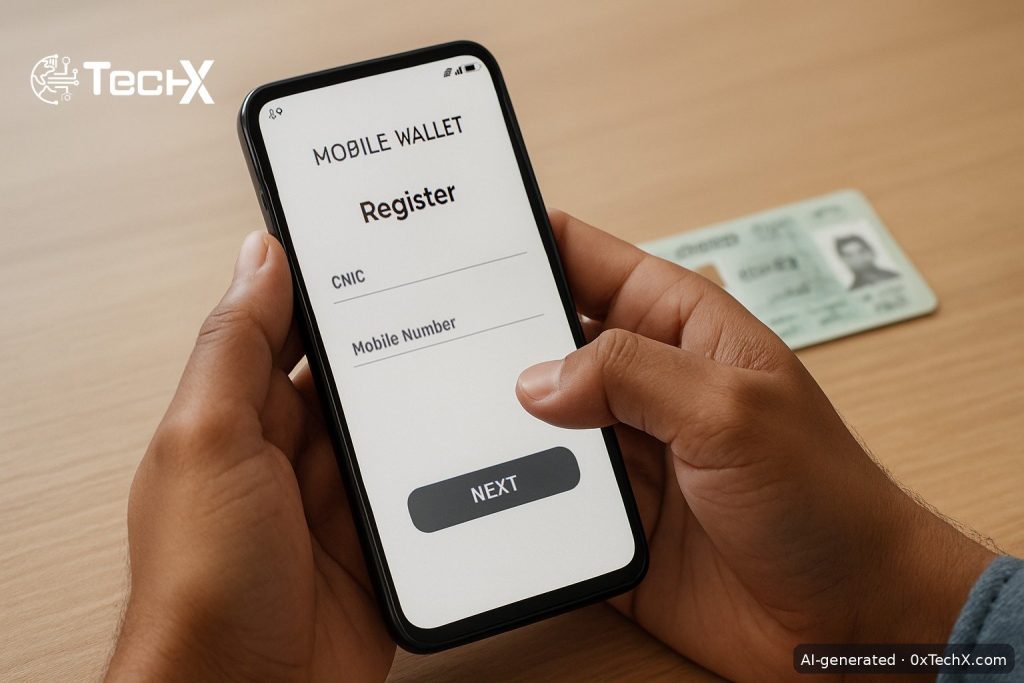
JazzCash account activation without visiting a shop is fully possible in 2026. You can do it right now using the JazzCash app on your phone or by dialling a USSD code, no agent visit required. This guide gives you every step, every screen name, fees in PKR, and fixes for the most common problems.
What You Need Before You Start
- A valid CNIC (not expired)
- A mobile SIM registered under your own CNIC
- A smartphone with internet access (for the app method)
- Your CNIC issue date (for the USSD method)
Important: Your SIM must be biometrically registered in your own name. If your SIM is registered under a family member’s name, the account will not activate properly.
Method 1: Activate via the JazzCash App (Recommended for All Networks)
This method works whether you use Jazz, Zong, Ufone, or Telenor. It takes about five minutes.
- Download the app. Open Google Play Store or Apple App Store and search for JazzCash. Download and install the official app.
- Open the app and tap “Register”. On the home screen, tap the Register or Sign Up button.
- Enter your mobile number. Type your active SIM number. An OTP (one-time password) will arrive by SMS. Enter it to confirm.
- Enter your full name and CNIC number. Type your name exactly as it appears on your CNIC. Enter your 13-digit CNIC number.
- Complete in-app biometric verification. The app will ask you to scan your hands using your phone camera. First scan your left hand, then your right hand. This links your fingerprint data from NADRA to your account remotely.
- Set your MPIN. Create a 4-digit MPIN. This is your transaction PIN, used every time you send money or pay a bill. Memorise it and never share it.
- Set your app login PIN or use biometric login. This is a separate PIN just for opening the app.
- Wait for the confirmation SMS. Your account activates almost immediately for the basic level. You will get a welcome SMS from JazzCash.
The registration process itself is completely free of charge. There are no monthly or annual account fees.
Method 2: Activate via USSD Code *786# (Jazz and Warid Users Only)
No smartphone or internet needed for this method. It works on any basic Jazz or Warid handset.
- Dial *786# from your Jazz or Warid number and press the call button.
- A menu will appear on screen. Select the option for new account registration (usually the last option or option 0).
- Enter your CNIC number when prompted.
- Enter your CNIC issue date for identity confirmation.
- Create a 4-digit MPIN. Enter it twice to confirm.
- You will receive a confirmation SMS and your JazzCash account will be ready to use.
Note: The USSD method gives you a basic Level 0 account. To unlock higher limits, you will need to complete biometric verification (see the upgrade section below).
Understanding Account Levels and Limits
JazzCash uses a three-tier account system set by the State Bank of Pakistan. Your level decides how much you can send and receive.
| Level | How to Get It | Daily Send Limit | Key Feature |
|---|---|---|---|
| L0 (Basic) | App or *786# registration | Up to Rs. 25,000 | Basic transfers and bill payments |
| L1 (Biometric Verified) | In-app biometric scan or agent visit | Up to Rs. 50,000 | Cash in/out at agents, higher limits |
| Asaan Digital (L1 upgrade) | In-app upgrade, Rs. 100 fee | Higher limits | Max balance Rs. 1 million, digital banking features |
| L2 | Visit Mobilink Microfinance Bank branch | Highest limits | Large salary disbursements, business use |
Most users can upgrade from L0 to L1 by completing the in-app biometric scan without going anywhere. To upgrade from L1 to the Asaan Digital Account, go to Menu > Upgrade Account in the app. A one-time fee of Rs. 100 is charged at the time of the upgrade request.
Key Fees to Know in PKR
- Account opening: Free
- Wallet-to-wallet transfers: Free on amounts under Rs. 200. Above Rs. 200, roughly 0.2% plus FED (about Rs. 2 to Rs. 4 per Rs. 1,000)
- Raast transfers: Free for amounts under Rs. 25,000
- Bill payments: Rs. 5 per transaction
- ATM withdrawal: Rs. 35 per transaction
- Asaan Digital Account upgrade: Rs. 100 (one time)
- Annual account fee: None
Common Problems and How to Fix Them
Problem: OTP not received
Wait 60 seconds and tap “Resend OTP”. Check that your SIM has a signal and is not in airplane mode. If your SIM is registered under someone else’s name, OTP delivery may fail. Make sure your number is active.
Problem: CNIC number not accepted
Only a valid, non-expired CNIC works. If your CNIC has expired, even receiving money becomes impossible. Renew your CNIC at NADRA first, then try again. A photocopy or a photo of your CNIC on another phone will not work for verification.
Problem: Biometric scan fails in the app
Make sure your phone camera is clean and there is enough light. Flat your palm fully against the camera as instructed, first left hand then right. If it keeps failing after three tries, call the helpline at 4444 (Jazz users) or 021-111-124-444 (all networks) to request a manual reset.
Problem: Forgot MPIN
Open the JazzCash app and tap “Forgot MPIN”. Enter your CNIC number and date of birth. A temporary 4-digit MPIN will arrive by SMS. Use it to create a new MPIN. You can also dial *786*6*1*2# or call 4444 from a Jazz number to reset it.
Problem: Account blocked or dormant
Your account gets temporarily blocked after 12 months of no activity. To reactivate, simply complete biometric verification inside the app or call the helpline. If your CNIC expired during that period, you must renew it at NADRA first.
Problem: App crashing or not loading
Clear the app cache from your phone settings, then update the JazzCash app from the Play Store or App Store. If the app still does not work, uninstall and reinstall it. For urgent transactions while you fix the app, use the USSD code *786# instead.
One Thing Most Guides Miss: The SIM Name Rule
Almost every guide tells you to get your CNIC ready, but very few explain the SIM ownership rule clearly. If you are using a Jazz SIM that is registered under your father’s or spouse’s CNIC, your JazzCash registration will either fail or create a mismatched account that gets flagged later. Before you start, confirm your SIM is biometrically registered in your own name. You can check this by dialling *667# on Jazz. If the SIM is not in your name, visit a Jazz service centre with your CNIC to transfer it first.
Frequently Asked Questions
Can I activate JazzCash without a Jazz SIM?
Yes. You can open a JazzCash account on Ufone, Zong, or Telenor using the JazzCash app. The USSD method (*786#) is only for Jazz and Warid users. The app works on any network in Pakistan.
Is there any fee to open a JazzCash account?
No. The registration process is completely free. There are no monthly or annual fees for a standard JazzCash account. The only paid upgrade is the Asaan Digital Account, which costs Rs. 100 as a one-time fee.
How do I reset my MPIN if I forget it?
Tap “Forgot MPIN” in the app and enter your CNIC number plus date of birth. A temporary MPIN arrives by SMS and you can set a new one. You can also call 4444 (Jazz users) or 021-111-124-444 (all networks) for help.
What happens if my account stays inactive for a long time?
JazzCash temporarily blocks your account after 12 months of continuous inactivity. To reactivate it, complete biometric verification in the app or call the helpline. Your balance stays safe during this period.