
• Activities
    • Health
    • Education
    • Mobile
    • Sports
    • PSL
  • Economy
    • Auto Industry
    • Crypto Currency
    • Economy
    • Smart Devices
  • Tech
    • Startups
    • Social
    • Telecom
    • Technology
  • TechX World
Saturday, August 29, 2026
Contact us on Whatsapp
TechX Pakistan
No Result
View All Result
  • Home
  • Health
  • Education
  • Sports
    • FIFA World Cup
    • Champions Trophy
    • ICC World Cup
    • Asia Cup
    • PSL
  • Technology
  • Real Estate
    • Property
  • Lawyer
    • Tax Calculator
    • FBR
  • About us
  • Contact
  • Home
  • Health
  • Education
  • Sports
    • FIFA World Cup
    • Champions Trophy
    • ICC World Cup
    • Asia Cup
    • PSL
  • Technology
  • Real Estate
    • Property
  • Lawyer
    • Tax Calculator
    • FBR
  • About us
  • Contact
No Result
View All Result
TechX Pakistan
  • Home
  • Health
  • Education
  • Sports
  • Technology
  • Real Estate
  • Lawyer
  • About us
  • Contact
Home Technology

Zong Online Recharge with Debit Card in Pakistan Step by Step

0xTechX by 0xTechX
July 26, 2026
in Technology
Reading Time: 8 mins read
A A
0

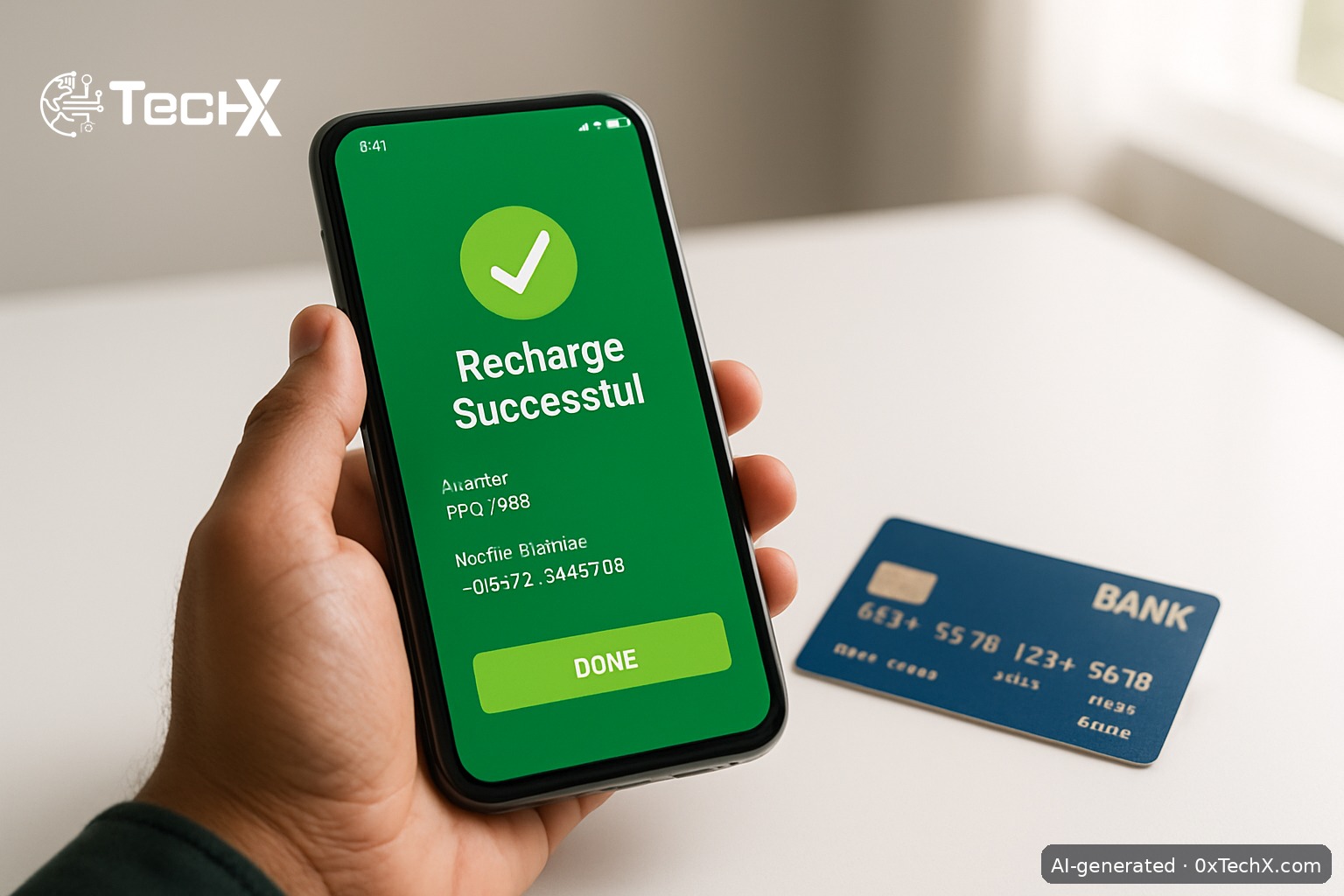
Zong online recharge with a debit card takes less than two minutes. You can do it directly on the Zong website, through the My Zong app, or via Easypaisa and JazzCash. No need to find a shop or a scratch card. This guide shows you every method, step by step, with real limits and common fixes.

Table of Contents

Toggle
  • What You Need Before You Start
  • Method 1: Zong Online Recharge Portal (Fastest for Debit Cards)
  • Method 2: My Zong App (Best for Regular Users)
  • Method 3: Easypaisa App (No Debit Card Needed, but Useful Backup)
  • Method 4: JazzCash App
  • Quick Comparison of All Methods
  • How to Check Your Zong Balance After Recharge
  • Common Problems and How to Fix Them
    • Card keeps getting declined
    • OTP not arriving
    • Transaction successful but balance not updated
    • Error saying daily limit reached
    • Cannot recharge someone else’s Zong number
  • Frequently Asked Questions
    • Can I use any Pakistani bank debit card to recharge Zong online?
    • Is there a fee charged by Zong for online recharge with a debit card?
    • What is the minimum amount I can recharge online?
    • Can I recharge my Zong number using Easypaisa even if I am not a Telenor user?

What You Need Before You Start

  • A Zong prepaid or postpaid number
  • A debit card (Visa or Mastercard) issued by any Pakistani bank
  • Your card must have 3D Secure (online payments) enabled
  • The mobile number linked to your bank account, so you can receive an OTP

If you are not sure whether 3D Secure is active on your card, call your bank or check your internet banking app. Most HBL, MCB, Meezan, UBL, and Allied Bank debit cards come with it enabled by default.

Method 1: Zong Online Recharge Portal (Fastest for Debit Cards)

This is the official, direct method. Zong offers an online recharge facility on their website where you enter the phone number, select the amount, and pay by debit or credit card. The direct link is: onlinerecharge.zong.com.pk/onlinerecharge

  1. Open the portal on your phone or computer browser. Go to onlinerecharge.zong.com.pk.
  2. Enter your Zong number in the mobile number field. Use the format 03XX-XXXXXXX.
  3. Enter the amount you want to load. The recharge limit is from Rs. 50 to Rs. 20,000 per transaction.
  4. Select Debit/Credit Card as your payment method.
  5. Enter your card details including the 16-digit card number, expiry date, and CVV.
  6. Confirm with OTP. You will receive a one-time password (OTP) to authenticate your transaction. Enter the OTP received on the mobile number linked to your card.
  7. Done. Your balance is loaded instantly. You will get a confirmation SMS on your Zong number.

Important limits to know: Any debit or credit card powered by Mastercard or Visa can be used. Only 3D Secure cards are allowed. To enable 3D Secure, contact your card issuer bank. Also, only two transactions per mobile number can be performed in a single calendar day.

Method 2: My Zong App (Best for Regular Users)

The My Zong app is Zong’s official self-care app. Through the app you can check your current balance, recharge, and activate bundles for prepaid and postpaid customers. All online recharge options, including Easypaisa, are available 24/7 through the My Zong App as well as Zong’s website.

  1. Download the My Zong app from Google Play Store or Apple App Store.
  2. Sign in with your Zong number. Enter the OTP sent to your SIM to verify.
  3. On the home screen, tap the Recharge icon at the top.
  4. Choose Online Recharge (not scratch card).
  5. Enter your number and the amount you want to load.
  6. Select Debit/Credit Card from the payment options.
  7. Enter your card details and confirm the OTP sent to your bank-registered number.
  8. Your Zong balance is topped up right away.

Method 3: Easypaisa App (No Debit Card Needed, but Useful Backup)

Zong has partnered with Easypaisa to offer users a convenient mobile top-up option, specifically for users who prefer digital financial services over direct debit card payments.

If you have money in your Easypaisa wallet, you can load it into your Easypaisa account from your debit card first, then recharge your Zong number. Here is how:

  1. Open the Easypaisa app and log in.
  2. Tap Easyload, then select Prepaid, and choose the contact or enter the Zong number you want to recharge.
  3. Enter the amount and tap Next, then tap Pay Now.
  4. Confirm with your Easypaisa PIN or biometric.

For Telenor numbers, 10 transactions per month are free and others are charged at Rs. 2 (including tax). This transaction is free for all other network operators, so recharging a Zong number via Easypaisa costs you nothing extra.

You can also access Easypaisa without the app. Dial *2262# on Jazz, Ufone, or Zong to access Easypaisa via USSD.

Method 4: JazzCash App

JazzCash also lets you load any network including Zong. If your debit card is linked to JazzCash, use it like this:

  1. Open the JazzCash app and log in.
  2. Tap Mobile Account then select Mobile Top-Up.
  3. Enter the Zong number and the amount.
  4. Select your payment source (JazzCash wallet or linked debit card).
  5. Confirm the transaction with your JazzCash MPIN.

Quick Comparison of All Methods

Method Best For Fee Speed
Zong Portal (website) Direct debit card use None from Zong Instant
My Zong App Regular Zong users None from Zong Instant
Easypaisa App Wallet users, no debit card at hand Free for Zong numbers Instant
JazzCash App JazzCash account holders Usually free Instant

How to Check Your Zong Balance After Recharge

Dial *222# and press Call. Your balance and expiry date will appear on screen. You can also check it inside the My Zong app under the balance section.

Common Problems and How to Fix Them

Card keeps getting declined

Your card may not have 3D Secure enabled for online payments. Call your bank’s helpline or visit their internet banking portal to activate it. This is the most common reason transactions fail.

OTP not arriving

The OTP comes to the mobile number registered with your bank, not your Zong number. Check that number is active and has signal. If it has been inactive for a while, visit your bank branch to update it.

Transaction successful but balance not updated

Wait two to three minutes and check again by dialing *222#. If it still does not show, call Zong customer care at 310 (free from Zong) and give them your transaction reference number. Your bank will also show the deduction in your statement, which is useful proof.

Error saying daily limit reached

Only two transactions per mobile number can be performed in a calendar day. If you have already done two recharges today, wait until midnight and try again, or use the Easypaisa or JazzCash method instead.

Cannot recharge someone else’s Zong number

The Zong portal and My Zong app both allow you to recharge any Zong number, not just your own. Just enter the other person’s number in the mobile number field. Alternatively, you can share balance by dialing *828# from your own Zong SIM and entering the receiver’s number and amount. You can send between Rs. 10 and Rs. 200 this way. There is a fee of Rs. 2 plus tax per balance share transaction.

Frequently Asked Questions

Can I use any Pakistani bank debit card to recharge Zong online?

Yes. Any debit card powered by Mastercard or Visa works. However, only 3D Secure cards are accepted. If your card does not have 3D Secure, contact your bank to enable it.

Is there a fee charged by Zong for online recharge with a debit card?

Zong does not charge any extra fee for using the online recharge portal or My Zong app with a debit card. Your bank may apply a small transaction fee depending on your account type. Check with your bank if you are unsure.

What is the minimum amount I can recharge online?

The minimum recharge amount on the Zong online portal is Rs. 50 and the maximum is Rs. 20,000 per transaction.

Can I recharge my Zong number using Easypaisa even if I am not a Telenor user?

Yes. You can send easyload to all networks in Pakistan including Jazz, Zong, Ufone, and Telenor from any Easypaisa account, regardless of which SIM you use personally. Non-Telenor users can access Easypaisa by downloading the app or dialing *2262#.


Share56Tweet35Share10Send
0xTechX

0xTechX

0xTechX is a tech explorer navigating the worlds of AI, cybersecurity, cloud computing, startups, and digital transformation. Dedicated to uncovering trends, decoding innovations, and delivering stories that shape the future of technology. Powered by caffeine, curiosity, and countless lines of code.

Related Posts

Pakistani and Chinese Nationals Jailed in Illegal Call Centre Ponzi Scheme

by 0xTechX
August 29, 2026
0

A Karachi court jailed Pakistani and Chinese nationals for running an illegal call centre Ponzi scheme, here's how the fraud...

Read moreDetails

JazzCash Account Activation Without Visiting a Shop in Pakistan

by 0xTechX
August 27, 2026
0

JazzCash account activation without visiting a shop is easy via the app or *786#. Follow our 2026 step-by-step guide with...

Read moreDetails

Follow Us

Stay Ahead with TechX Weekly

TechX Weekly
Pakistan's Tech week in 5 minutes, Every Saturday morning, Straight to your Inbox. Free and Zero spam.

Promoted

Khawaja Mohammad Owais Founder and CEO of TechX nominated for Global Acclaim for Outstanding Achievement

Khawaja Mohammad Owais Nominated for Global Acclaim for Outstanding Achievement at GiA Middle East 2026

by 0xTechX
August 27, 2026
0

Khawaja Mohammad Owais, Founder & CEO of TechX Pakistan, has been nominated for the Global Acclaim for Outstanding Achievement at...

World CIO 200 Summit 2026, Pakistan Edition Returns to Karachi

World CIO 200 Summit 2026, Pakistan Edition Returns to Karachi

by 0xTechX
August 17, 2026
0

World CIO 200 Summit 2026 - Pakistan Edition Returns to Karachi TechX Pakistan Proudly Joins as Supporting Partner for the...

Mecca Joint Defence Agreement Binds Pakistan, Saudi Arabia and Turkey

by 0xTechX
August 8, 2026
0

The Mecca Joint Defence Agreement signed on 7 August 2026 unites Pakistan, Saudi Arabia and Turkey in a historic collective...

GITEX AI Europe 2026: Berlin’s Biggest AI & Tech Event

GITEX AI Europe 2026: Berlin’s Biggest AI & Tech Event

by Techx Editor
April 30, 2026
0

GITEX AI Europe 2026: Berlin to Host Europe’s Largest AI and Technology Gathering Europe is preparing to welcome one of...

Currently Playing

TechX Pakistan at GITEX Dubai 2024 | Innovation, AI & Global Tech Highlights

TechX Pakistan at GITEX Dubai 2024 | Innovation, AI & Global Tech Highlights

00:02:06

TechX Pakistan at LEAP 2025 | Saudi Arabia’s Mega Tech Conference Uncovered

00:03:37

Pakistan – The Mineral Marvel | Pakistan Pavilion at Future Minerals Forum 2025

00:03:09

TechX Pakistan at ITCN Asia Karachi 2024 | Innovation, Startups & Future Tech Highlights

00:02:22

TechX Pakistan at ITCN Asia Lahore 2024 | Official Media Partner Coverage

00:03:41

TechX x Doogee | GITEX 2024 Collaboration Featuring Iranian TikTok Star

00:01:09

Highlights from the World CIO 200 Summit - Pakistan Edition 2024 | TechX Pakistan

00:01:42

Leap 2024 | The most attended tech event in Saudi Arabia | covered by TechX Pakistan

00:03:46

Gitex Dubai 2023 Sneak Peeks by TechX Pakistan

00:01:47

Gitex Africa 2023: TechX Pakistan Honored To Cover The Event. @GITEXAFRICA

00:01:50

LEAP 2023, a Global Technology Event at Riyadh covered by TechX Pakistan

00:02:40

GITEX GLOBAL 2022 Presence of Pakistan, Connexion Lounge sponsored by @MinistryofITTelecomPakistan

00:01:40

ITCN Asia 2022 | 21st International IT and Telecom Show | Curtains Opened | TechX Pakistan

00:05:28

London Tech Week 2022 Highlights | #Pakistan #Software

00:02:58

#Zindigi Future Fest 2022 Curtains Opened | Day 01 Glimpses | Tour | TechX Pakistan

00:03:13

Wait is Over, ITCN Asia Pakistan Tech Fest 2022 is live now!

00:01:44

CXO Meetup Dubai by Tech Destination Pakistan - P@SHA x PSEX x MoITT

00:02:41

Workshop on IT Investment Opportunities by Tech Destination Pakistan

00:00:56

Pakistan Pavilion at GITEX Dubai 2021

00:01:39

#GITEX 2021 Curtains Opened | Day 01 Glimpses | 5G | Technology | Tour | TechX Pakistan

00:01:33

GITEX Technology Week 2020 by TechX Pakistan - Official Media Partner

00:01:27

Recent News

Pakistani and Chinese Nationals Jailed in Illegal Call Centre Ponzi Scheme

August 29, 2026

ADB BUILD Facility Puts Pakistan on a Digital Trade Corridor

August 29, 2026
petrol price in Pakistan today

Petrol Price in Pakistan Today 28 August 2026: Petrol Drops to Rs 342.60

August 29, 2026

HEC Warns Students About Fake Degree Attestation Agents

August 28, 2026
Beyond Smartphones: The Devices Likely to Change Daily Habits Next

Beyond Smartphones: The Devices Likely to Change Daily Habits Next

August 28, 2026
Football Betting Tips Worth Reading Before the 2026-27 Season Kicks Off

Football Betting Tips Worth Reading Before the 2026-27 Season Kicks Off

August 28, 2026
 

Since 2019, TechX Pakistan has been revolutionizing local tech and social blogging. We bring the latest news, interviews, and events on global and local advancements.

Join us in exploring IT startups, business insights, and social media trends. Celebrate and drive the tech evolution with us!

USEFUL LINKS

Home

About Us

Contact Us

Privacy Policy

Sponsored

Terms and Conditions

Site Map

CATEGORIES

Health

Crypto Currency

Technology

Sports

Finance

Curent Affairs

FOLLOW US

TECH INSIGHTS

Stay informed about the latest advancements in technology. Join our WhatsApp Group to receive curated news, insights, and updates straight to your inbox.

© 2025 TechX.pk - All right reserved 

imunify-bot-check
No Result
View All Result
  • Home
  • Health
  • Education
  • Sports
    • FIFA World Cup
    • Champions Trophy
    • ICC World Cup
    • Asia Cup
    • PSL
  • Technology
  • Real Estate
    • Property
  • Lawyer
    • Tax Calculator
    • FBR
  • About us
  • Contact

© 2019 - 2026 TechX Pakistan - All Rights Reserved

Go to mobile version