
• Activities
    • Health
    • Education
    • Mobile
    • Sports
    • PSL
  • Economy
    • Auto Industry
    • Crypto Currency
    • Economy
    • Smart Devices
  • Tech
    • Startups
    • Social
    • Telecom
    • Technology
  • TechX World
Wednesday, July 8, 2026
[gtranslate]
TechX Pakistan
Gitex Europe
No Result
View All Result
  • Home
  • Health
  • Education
  • Sports
    • Champions Trophy 2025
    • ICC World Cup
    • Asia Cup
    • PSL
    • FIFA World Cup
  • Technology
  • Real Estate
    • Property
  • Lawyer
    • Tax Calculator
    • FBR
  • About us
  • Contact
  • Home
  • Health
  • Education
  • Sports
    • Champions Trophy 2025
    • ICC World Cup
    • Asia Cup
    • PSL
    • FIFA World Cup
  • Technology
  • Real Estate
    • Property
  • Lawyer
    • Tax Calculator
    • FBR
  • About us
  • Contact
No Result
View All Result
TechX Pakistan
No Result
View All Result
  • Home
  • Health
  • Education
  • Sports
  • Technology
  • Real Estate
  • Lawyer
  • About us
  • Contact
Home Technology

NADRA Smart ID Card Online Apply Guide for Pakistan

0xTechX by 0xTechX
July 8, 2026
in Technology
Reading Time: 8 mins read
A A
0

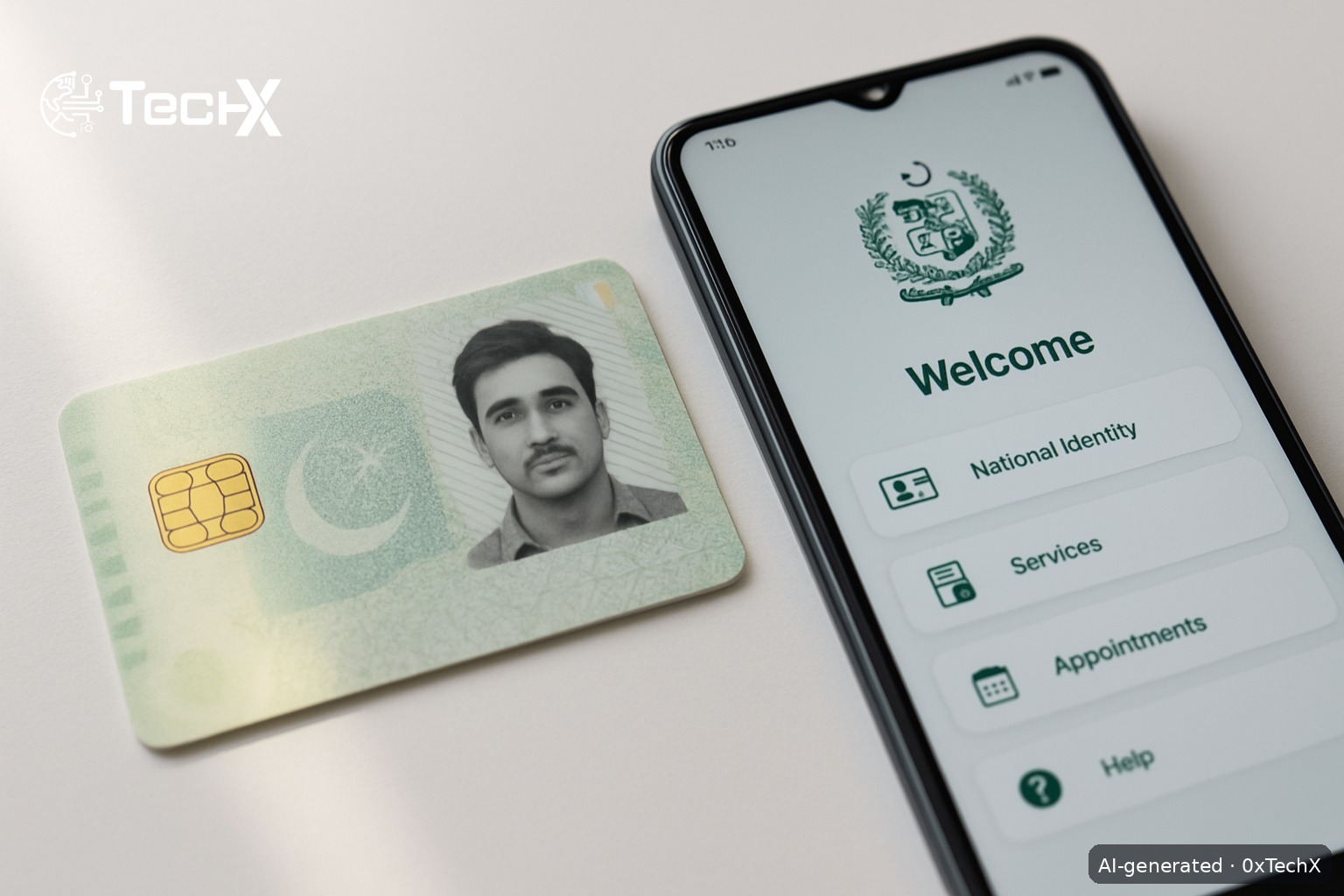
NADRA smart ID card online apply is now fully possible from home using the official Pak Identity app or the website id.nadra.gov.pk. You can renew, modify, or get a reprint of your CNIC without visiting a NADRA centre. This guide walks you through every step, the exact fees in PKR, and how to fix common problems.

Table of Contents

Toggle
  • What Is the NADRA Smart ID Card (SNIC)?
  • What Can You Do Online via Pak Identity?
  • NADRA Smart ID Card Online Apply: Step-by-Step
    • Step 1: Download the Pak Identity App or Open the Website
    • Step 2: Create an Account or Log In
    • Step 3: Choose Your Application Type
    • Step 4: Fill in Your Personal Details
    • Step 5: Complete Biometric Verification
    • Step 6: Get the Application Attested (if Applying from Pakistan)
    • Step 7: Choose Your Service Level and Pay the Fee
    • Step 8: Submit and Get Your Tracking ID
    • Step 9: Track Your Application
  • Documents You Need to Have Ready
  • Common Problems and How to Fix Them
    • Problem: “Device Tampering” or VPN Error
    • Problem: Liveness Check or Fingerprint Scan Keeps Failing
    • Problem: OTP Not Received for Attester Verification
    • Problem: Application Stuck or No Updates After Payment
    • Problem: App Shows Only Visa Options, No CNIC Section
  • Frequently Asked Questions
    • Can I apply for a brand-new CNIC online if I have never had one before?
    • How long does NADRA smart ID card online apply take to deliver?
    • What payment methods can I use to pay NADRA fees online?
    • How do I track my NADRA smart ID card application status?

What Is the NADRA Smart ID Card (SNIC)?

The Smart National Identity Card (SNIC) is the latest version of Pakistan’s CNIC. It has a built-in chip that stores your biometric data securely and carries your unique 13-digit national ID number. Every Pakistani citizen aged 18 and above must have one. The SNIC is valid for 10 years.

What Can You Do Online via Pak Identity?

Not everything can be done online. Here is what the Pak Identity platform currently supports:

  • Renewal of an existing CNIC (expired or near-expiry)
  • Modification of CNIC details (name, address, etc.)
  • Reprint or replacement of a lost or damaged CNIC
  • New NICOP, NICOP renewal, modification, and reprint

Important: A brand-new CNIC (first-time applicant) still requires a visit to a NADRA Registration Centre (NRC) for biometric capture in most cases. Online renewal and reprint are the most common use cases for people already in the system.

NADRA Smart ID Card Online Apply: Step-by-Step

Step 1: Download the Pak Identity App or Open the Website

Go to id.nadra.gov.pk on your browser (Google Chrome works best), or download the Pak Identity app from the Google Play Store (search “Pak Identity” by NADRA) or the Apple App Store. The app ID on Play Store is pk.gov.nadra.pakid.

Tip: Turn off any VPN before opening the app. The app detects VPNs and will block you with a “device tampering” error if one is active.

Step 2: Create an Account or Log In

Tap Register if you are new. You will need:

  • A valid email address (Gmail works well)
  • Your Pakistani mobile number (any network: Jazz, Zong, Telenor, Ufone)
  • Your existing CNIC number

The app sends a one-time OTP to your mobile number to verify your account. Enter the OTP and set a password. If you already have an account, just log in using your email and password, or use the fingerprint/face login option.

Step 3: Choose Your Application Type

Once logged in, tap New Application from the home screen. You will see a list of options. Pick the one that matches your situation:

  • Renewal of CNIC (your card is expired or expiring soon)
  • Modification of CNIC (you need to update any information)
  • Reprint / Lost CNIC (your card is lost, stolen, or damaged)

Step 4: Fill in Your Personal Details

The app will pull most of your data from the NADRA database automatically. Check every field carefully. If you are applying for a Modification, update only the fields that need to change. Upload any supporting documents using your phone camera or from your phone storage (for example, a utility bill for an address change).

Step 5: Complete Biometric Verification

The Pak Identity app does biometric checks through your phone. You will be asked to:

  • Take a live selfie (liveness check via your front camera)
  • Scan your fingerprints through the phone camera (follow the on-screen guide carefully)
  • Provide a digital signature using your finger on the touchscreen

Make sure you are in good lighting and your hands are clean and dry for the fingerprint scan.

Step 6: Get the Application Attested (if Applying from Pakistan)

If you are applying from inside Pakistan, you need an attester to verify your application. The attester is usually a blood relative (parent, sibling) who holds a valid CNIC. They verify via an OTP sent to their registered mobile number, so their number must be active and linked to their own CNIC.

Step 7: Choose Your Service Level and Pay the Fee

Select one of three speed tiers, then pay online. Here is the current fee table for the NADRA Smart CNIC (SNIC) in Pakistan:

Service Type Fee (PKR) Processing Time
Normal PKR 750 Approx. 31 days
Urgent PKR 1,500 Approx. 15 days
Executive PKR 2,500 Approx. 7 to 9 days

Payment is accepted via credit or debit card (Visa / Mastercard). You can also pay through Easypaisa or JazzCash wallets, or via e-Sahulat counters available at many shops across Pakistan. Delivery charges are separate and are not included in the fees above.

Step 8: Submit and Get Your Tracking ID

Review all your information on the final screen, then tap Submit. You will instantly receive a confirmation email and an Application Tracking ID. Save this number.

Step 9: Track Your Application

You have two ways to check your status:

  • SMS: Send your Application Tracking ID to 8400 from any Pakistani number for real-time updates.
  • Online: Log in to your Pak Identity account and check the status in your inbox/applications list.

Your card will be delivered to your address by NADRA courier once ready.

Documents You Need to Have Ready

  • Your existing CNIC (front and back, even if expired)
  • Proof of address such as a utility bill (for address modification)
  • Any change documents if you are updating information (for example, a court order for a name change)

Common Problems and How to Fix Them

Problem: “Device Tampering” or VPN Error

Fix: Completely disable any VPN app on your phone, not just pause it. Go to your phone settings and make sure no VPN profile is active. Then restart the Pak Identity app.

Problem: Liveness Check or Fingerprint Scan Keeps Failing

Fix: Use good natural light and a clean phone camera lens. Wash and dry your hands. Hold your finger flat and still on the camera. If the error “Lioness initialization failed” appears, update the app to the latest version. If it still fails, uninstall and reinstall the app.

Problem: OTP Not Received for Attester Verification

Fix: Make sure your attester’s mobile number is the one registered with their own NADRA record. If the number has changed, they may need to visit an NRC to update it first.

Problem: Application Stuck or No Updates After Payment

Fix: SMS your tracking ID to 8400 to check the real status. If there is no movement after 5 to 7 days, file a complaint at nadra.gov.pk/complaint or call NADRA helpline 051-111-786-100. You can also use the live chat at messenger.com/t/nadrapakedentity on Facebook Messenger.

Problem: App Shows Only Visa Options, No CNIC Section

Fix: This is a known bug in some older app versions. Update the Pak Identity app to the latest version from the Play Store or App Store. If the problem continues, use the website id.nadra.gov.pk on Chrome instead.

Frequently Asked Questions

Can I apply for a brand-new CNIC online if I have never had one before?

No, not fully. First-time CNIC applicants must visit a NADRA Registration Centre (NRC) in person because initial biometric data must be captured at the centre. The online Pak Identity system is mainly for renewal, modification, and reprint of an existing CNIC.

How long does NADRA smart ID card online apply take to deliver?

It depends on the service tier you choose. Normal service takes around 31 days, Urgent about 15 days, and Executive around 7 to 9 days. These timelines start only after your application is approved, not from the date you submit it.

What payment methods can I use to pay NADRA fees online?

You can pay with a Visa or Mastercard debit or credit card. You can also use JazzCash, Easypaisa, or visit an e-Sahulat agent near you for cash payment. Delivery charges are billed separately.

How do I track my NADRA smart ID card application status?

Send your Application Tracking ID by SMS to 8400 from any Pakistani mobile number for quick updates. You can also log in to your Pak Identity account at id.nadra.gov.pk and check the status under your applications list.


Share48Tweet30Share8Send
0xTechX

0xTechX

0xTechX is a tech explorer navigating the worlds of AI, cybersecurity, cloud computing, startups, and digital transformation. Dedicated to uncovering trends, decoding innovations, and delivering stories that shape the future of technology. Powered by caffeine, curiosity, and countless lines of code.

Related Posts

Anthropic Pentagon lawsuit tests AI ethics against military power

by 0xTechX
July 8, 2026
0

The Anthropic Pentagon lawsuit began after the US military demanded Claude drop safety guardrails for autonomous weapons. Here is what...

Read moreDetails

JADEPUFFER shows autonomous AI ransomware has arrived

by 0xTechX
July 7, 2026
0

JADEPUFFER is the first autonomous AI ransomware, documented by Sysdig in July 2026. Here is what it did, how it...

Read moreDetails

Follow Us

Promoted

GITEX AI Europe 2026: Berlin’s Biggest AI & Tech Event

GITEX AI Europe 2026: Berlin’s Biggest AI & Tech Event

by Techx Editor
April 30, 2026
0

GITEX AI Europe 2026: Berlin to Host Europe’s Largest AI and Technology Gathering Europe is preparing to welcome one of...

GITEX Africa

GITEX Africa Morocco 2026 Africa Premier Technology & Startup Event

by TechX Content Specialist
March 17, 2026
0

GITEX Africa 2026 is one of the largest technology and startup events in Africa, scheduled to take place from April...

India AI Summit

India AI Summit An Analysis of Logistical Failures and Technical Hurdles

by TechX Content Specialist
February 23, 2026
0

As interest in Artificial Intelligence (AI) surges globally, South Asian nations are racing to establish themselves as regional tech hubs....

Pakistan to Host Indus AI Week 2026

Pakistan to Host Indus AI Week 2026

by TechX Editor
February 5, 2026
0

Join Indus AI Week 2026 in Islamabad from Feb 9-15, showcasing AI innovation, techathons, and global collaboration for Pakistan’s digital...

Recent News

Pakistan data centre capacity set to more than double by 2030

July 8, 2026

Anthropic Pentagon lawsuit tests AI ethics against military power

July 8, 2026

NADRA Smart ID Card Online Apply Guide for Pakistan

July 8, 2026

BingX World Cup campaign: 3 Big Rewards for Users

July 8, 2026

Argentina vs Egypt FIFA World Cup 2026 Recap

July 8, 2026

PSX consumer electronics stocks draw more retail investors in 2026

July 8, 2026
Currently Playing

TechX Pakistan at GITEX Dubai 2024 | Innovation, AI & Global Tech Highlights

TechX Pakistan at GITEX Dubai 2024 | Innovation, AI & Global Tech Highlights

00:02:06

TechX Pakistan at LEAP 2025 | Saudi Arabia’s Mega Tech Conference Uncovered

00:03:37

Pakistan – The Mineral Marvel | Pakistan Pavilion at Future Minerals Forum 2025

00:03:09

TechX Pakistan at ITCN Asia Karachi 2024 | Innovation, Startups & Future Tech Highlights

00:02:22

TechX Pakistan at ITCN Asia Lahore 2024 | Official Media Partner Coverage

00:03:41

TechX x Doogee | GITEX 2024 Collaboration Featuring Iranian TikTok Star

00:01:09

Highlights from the World CIO 200 Summit - Pakistan Edition 2024 | TechX Pakistan

00:01:42

Leap 2024 | The most attended tech event in Saudi Arabia | covered by TechX Pakistan

00:03:46

Gitex Dubai 2023 Sneak Peeks by TechX Pakistan

00:01:47

Gitex Africa 2023: TechX Pakistan Honored To Cover The Event. @GITEXAFRICA

00:01:50

LEAP 2023, a Global Technology Event at Riyadh covered by TechX Pakistan

00:02:40

GITEX GLOBAL 2022 Presence of Pakistan, Connexion Lounge sponsored by @MinistryofITTelecomPakistan

00:01:40

ITCN Asia 2022 | 21st International IT and Telecom Show | Curtains Opened | TechX Pakistan

00:05:28

London Tech Week 2022 Highlights | #Pakistan #Software

00:02:58

#Zindigi Future Fest 2022 Curtains Opened | Day 01 Glimpses | Tour | TechX Pakistan

00:03:13

Wait is Over, ITCN Asia Pakistan Tech Fest 2022 is live now!

00:01:44

CXO Meetup Dubai by Tech Destination Pakistan - P@SHA x PSEX x MoITT

00:02:41

Workshop on IT Investment Opportunities by Tech Destination Pakistan

00:00:56

Pakistan Pavilion at GITEX Dubai 2021

00:01:39

#GITEX 2021 Curtains Opened | Day 01 Glimpses | 5G | Technology | Tour | TechX Pakistan

00:01:33

GITEX Technology Week 2020 by TechX Pakistan - Official Media Partner

00:01:27

Newsletter Subscription

Get daily/weekly tech updates, exclusive insights, and breaking news delivered directly to your inbox.

Loading

Since 2019, TechX Pakistan has been revolutionizing local tech and social blogging. We bring the latest news, interviews, and events on global and local advancements.

Join us in exploring IT startups, business insights, and social media trends. Celebrate and drive the tech evolution with us!

USEFUL LINKS

Home

About Us

Contact Us

Privacy Policy

Sponsored

Terms and Conditions

Site Map

CATEGORIES

Health

Crypto Currency

Technology

Sports

Finance

Curent Affairs

FOLLOW US

TECH INSIGHTS

Stay informed about the latest advancements in technology. Join our WhatsApp Group to receive curated news, insights, and updates straight to your inbox.

© 2025 TechX.pk - All right reserved 

No Result
View All Result
  • Home
  • Health
  • Education
  • Sports
    • Champions Trophy 2025
    • ICC World Cup
    • Asia Cup
    • PSL
    • FIFA World Cup
  • Technology
  • Real Estate
    • Property
  • Lawyer
    • Tax Calculator
    • FBR
  • About us
  • Contact

© 2019 - 2024 TechX Pakistan - All Rights Reserved

Go to mobile version