But, in honor of Ethernet’s 50th anniversary, I’d like to make a case for the humble, hardworking wired connection. A wired connection is more stable than Wi-Fi, usually faster, and has much lower latency.
It’s simply preferable to send a signal through copper wires rather than converting it to radio waves and blasting it through walls, furniture, appliances, and people.
(People are bad for Wi-Fi; Wi-Fi is bad for people.) And every device you remove from your Wi-Fi network will benefit the devices that remain connected.
You should hardwire every device you can, especially computers, gaming consoles, TVs, and Wi-Fi access points (you should also hardwire home servers and network-attached storage if you have them).
Even a small amount of wiring can have a significant impact on your Wi-Fi situation, potentially saving you money on a mesh networking system or, worse, a Wi-Fi extender.
Two most useful features of Ethernet networking
Move the router: While the best location for a Wi-Fi router is in the center of the home, unless your home is already wired for ethernet, your internet connection is most likely along an exterior wall, which was convenient for the ISP’s installer but not necessarily for you.
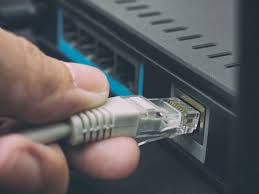
A wired connection between your ISP modem/gateway and your router allows you to place the Wi-Fi where it is needed while keeping the modem where it is needed. Everyone benefits.
For example, my fiber gateway, which receives the fiber optic signal from my ISP, is located in my garage.
My house is about a decade old and wired for ethernet, but the connection between the gateway and the networking enclosure in my laundry room is indirect and full of splices as a result of some perplexing decisions made by previous ISP installers and occupants, so my internet connection kept dropping.
In the meantime, I’ve run a 50-foot patch cable out of my garage door, into my laundry room door, and into the wireless router because the alternative is putting the router in the garage, where it would slowly cook itself and I’d have to replace it.
In the meantime, I’ve run a 50-foot patch cable out of my garage door, into my laundry room door, and into the wireless router because the alternative is putting the router in the garage, where it would slowly cook itself, and I’d still have to run a patch cable to connect the rest of my network.
- Replacing mesh backhaul:
The whole point of mesh networking kits is that they provide a decent Wi-Fi connection without wires, and here I’m suggesting that you reconnect the wires. Please bear with me.

Wi-Fi is used by mesh networking kits such as Eero, Nest Pro, and Orbi to communicate between the router and satellite nodes as well as with client devices.
They typically devote one Wi-Fi band to backhaul — communication between mesh nodes — and one or more bands to devices.
However, each node must be close enough to the next to receive good backhaul band reception, and you now have that many more Wi-Fi signals in your airspace.
If your mesh system supports it, replacing even one backhaul from your main router to a satellite node with a wired connection improves the connection dramatically, especially for devices farther away from the main router.
You can place your Wi-Fi access points farther apart, improve communication between them, and use fewer of them overall.
Some houses and apartment buildings, particularly those built or renovated in the last decade, are fortunate to already have ethernet in the walls: some in one or two locations, others in almost every room.

If that’s an option for you and you’re not already using it, you don’t need much to get started other than a networking switch where all those ethernet runs come together and some cables to connect things to your wall jacks.
But most people don’t have ethernet in their walls, and getting it there isn’t easy or cheap, even if you have the option of poking a bunch of holes in the wall.
Fortunately, there are numerous options. Buying a really long ethernet cable, using your existing coax wiring, and finally powerline networking are the cheapest, best, and… least good options.
To read our blog on “How to set avatar as profile pic on Telegram in 6 easy steps,” click here