
With the arrival of Australia and New Zealand, Apple’s SOS via satellite feature is now available in the southern hemisphere.
Apple’s SOS via satellite feature
Starting today, the feature is available on the iPhone 14, 14 Plus, 14 Pro, and 14 Pro Max. This is a paid service, but current owners are enrolled for free for the first two years. If you purchase an iPhone 14 after today, the two free years will begin the day you activate the phone.
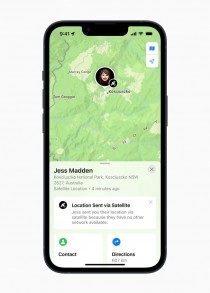
• Sharing your location via satellite with the new SOS via satellite feature
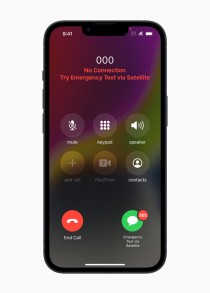
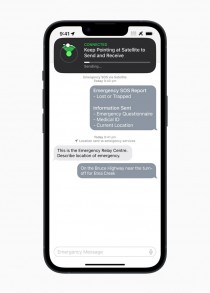
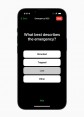
The SOS feature prompts users to complete a brief questionnaire that will collect vital information that will be sent to emergency responders.
Once a connection to the satellite is established, two-way chat will be available, and a message can be transmitted in about 15 seconds with good visibility.
If a call to emergency services fails due to a lack of coverage, the satellite option will normally appear on the dial screen (alternatively, you can tap the Power button 5 times).
There is also a demo mode that you should try before venturing out into the wilderness so that you know what to do in an emergency. If you have Medical ID, it will be sent to the response team.
You can also add up to ten emergency contacts, who will be notified and will receive a transcript of your communication with emergency services if they have a recent iPhone running iOS 16.4 or later.
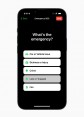
A short survey will assist in informing emergency services of your situation.




This feature can also be used for non-emergency purposes, such as sharing your location with friends and family.
Because large swaths of Australia lack cell coverage, this can keep your loved ones informed of your whereabouts if you go exploring.
Prior to today, emergency SOS was available in 12 countries: Austria, Belgium, Canada, France, Germany, Ireland, Italy, Luxembourg, the Netherlands, Portugal, the United Kingdom, and the United States. According to Apple, the system has already saved lives on several occasions.
You might want to read this page if you want to learn more about how the system works and how to use it. Learn more about sharing your location using the Find My feature by clicking here.
To read our blog on “Every Apple device; How to update them,” click here