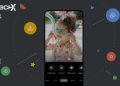
Google has added new tools to Google Photos to help people make videos more easily on Android and iOS. Users can now make quick highlight reels by choosing the “highlight video” option in the Create tab. After selecting photos and clips, the app builds one smooth video on its own, saving time and effort.
Free Features That Rival CapCut
Google is bringing templates to Android, giving users a fast way to begin. These templates come with preset music, text, and timed cuts that match the beat of the soundtrack. After choosing a template and media, Google Photos creates a ready video. More templates will arrive soon to help users make fun posts.
Ideal for Quick Social Media Sharing
These new templates are perfect for people who want to share simple videos online without using heavy tools. They let users turn everyday moments into clean videos with almost no editing skills. This makes it easier to post updates, memories, and short clips that look neat without spending much time learning complex apps.
Redesigned Editor for Faster Work
Both Android and iOS now have a new editor with better speed and easier steps. It brings a universal timeline that helps users work with many clips at once to build a clear story. The adaptive canvas also helps make changes more smoothly. This gives users a cleaner space to adjust their work with comfort.
Music Library for More Creative Control
Users can now explore a music library divided into helpful groups and pick soundtracks for their highlight videos. This tool is available on both platforms and makes it easy to add mood or emotion. With only a few taps, users can change the feel of their clips, helping them shape stronger and more lively stories.
Also Read: How to Update Outdated Drivers in Windows 11 & 10
Custom Text Tools for Android Users
Android users can now place custom text over videos. They can choose from many fonts, colors, and background styles to match the mood of the moment. These options help users explain scenes or add fun notes. It also helps people make videos that feel unique and reflect their own taste and style.
Updated Editor Now the Default on Android
The new video editor is now the main editor on Android. Anyone can open a video, tap edit, and use tools for trimming, adding sound, or placing text. These options help users make clearer and more personal videos. Google plans to expand these tools further to support more creative ways to share memories.
Updates Rolling Out to Everyone
All these new options are available now or reaching users soon. With these changes, Google Photos gives people more freedom to tell their stories through simple yet personal videos. Users can now create content that feels polished without paying extra or learning tough editing programs.