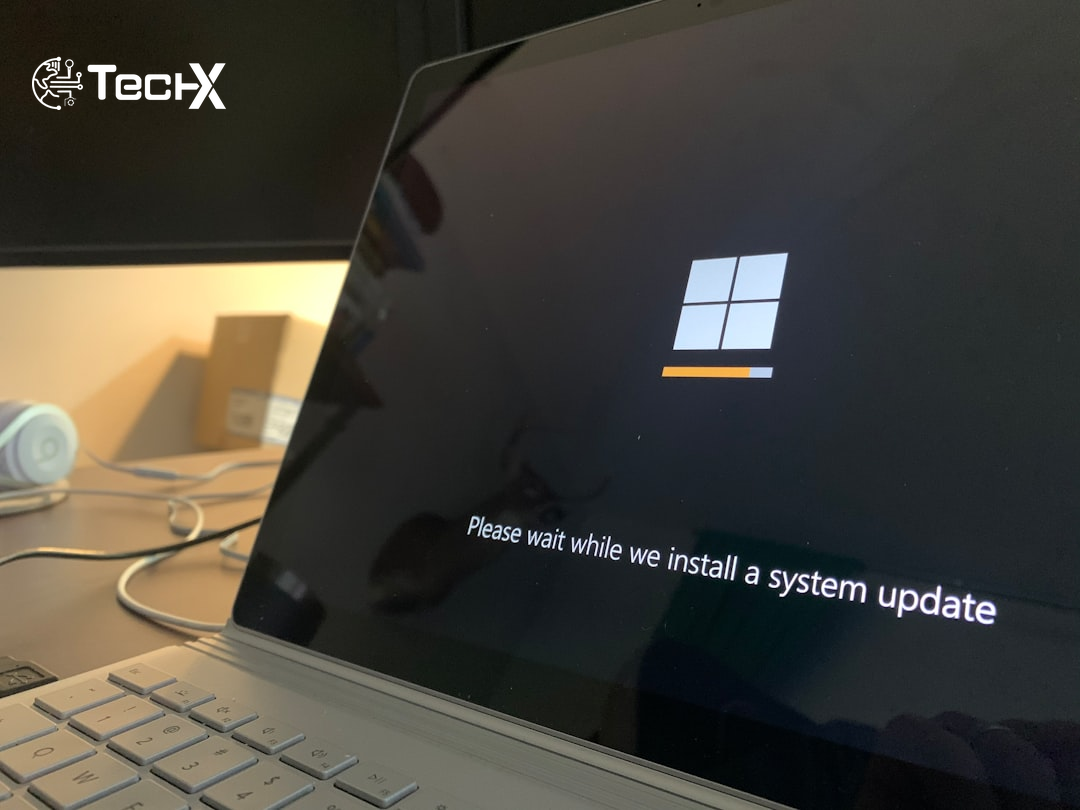
Windows 10 security updates just got a second lifeline. Microsoft has quietly extended its free Extended Security Updates (ESU) program for personal devices by one full year, pushing the deadline from October 2026 to October 12, 2027. The change was made without a formal announcement, first appearing in updates to Microsoft’s support documentation on June 25, 2026. If you are still running Windows 10 at home, here is everything you need to know.
Why Microsoft Extended Windows 10 Security Updates
Microsoft’s official ESU page now shows coverage running through October 12, 2027. The company told reporters: ‘We understand that moving to a new PC can take time. As part of our ongoing commitment to helping customers stay secure during the transition, the Windows 10 Extended Security Updates program for personal devices is being provided for an additional year.’
Windows 10 reached end of support on October 14, 2025. At that point, Microsoft stopped giving out free feature updates, bug fixes, and security patches for most editions. The ESU program was the safety net: it kept critical security patches flowing for people who could not yet move to Windows 11.
Originally, the consumer ESU program was a one-year deal, set to expire in October 2026. Now, that same program runs for a second free year, ending October 12, 2027. This gives Windows 10 users a total of two years of protected use after end-of-support, at little or no cost.
One likely reason for the extension is rising PC costs. New PCs that meet Windows 11’s hardware requirements have become more expensive due to a global RAM shortage. Around 400 million active PCs cannot officially upgrade to Windows 11 because their hardware fails Microsoft’s TPM 2.0, Secure Boot, or supported-processor requirements. Forcing hundreds of millions of users onto unsupported, unpatched machines overnight would be a serious cybersecurity risk worldwide, including in Pakistan, where many businesses and households run older computers.
What ESU Gives You (and What It Does Not)
The ESU program helps reduce the risk of malware and cyberattacks by delivering critical and important security updates, as rated by Microsoft’s Security Response Center (MSRC), for devices running Windows 10 version 22H2. Think of it as a monthly security patch, nothing more.
It is important to understand what ESU does not include:
- No new features or interface improvements
- No general bug fixes or quality-of-life updates
- No technical support from Microsoft
- No updates for devices running older Windows 10 versions (only 22H2 qualifies)
ESU is a stopgap, not a permanent fix. Microsoft is clear that it is a bridge to help users transition, not a reason to stay on Windows 10 forever.
How to Enrol in the Windows 10 ESU Program
There are three ways to get Windows 10 security updates through the ESU program on a personal PC:
- Free (Sync PC Settings): Sign in to Windows 10 with a Microsoft account that already has PC Settings backed up via Windows Backup. You qualify for ESU at no extra cost.
- Microsoft Rewards Points: Redeem 1,000 Microsoft Rewards points through your Microsoft account.
- One-time payment: Pay a flat fee of $30 USD (or the local currency equivalent, plus applicable tax). One licence covers up to 10 devices linked to the same Microsoft account.
To enrol, go to Settings > Update & Security > Windows Update. If your device meets the requirements, you will see an ‘Enrol now’ option. If you are already enrolled, you do not need to do anything. Your coverage will roll over to October 2027 automatically.
Users in the European Economic Area (EEA) can receive ESU for free simply by signing in to Windows 10 with a Microsoft account, without needing to back up PC settings first.
Who Is Not Eligible for the Free Consumer ESU
The free consumer program is only for personal devices. It does not cover machines that are:
- Joined to an Active Directory domain (office/school networks)
- Enrolled in Microsoft Entra or managed by Mobile Device Management (MDM)
- Running Windows 10 in kiosk mode
However, devices that are only Entra-registered (for example, a work account added to a personal laptop) are still eligible. For Pakistani businesses running Windows 10 on office PCs, the separate commercial ESU program is available through Microsoft’s Volume Licensing Program. The enterprise ESU starts at $61 per device for Year One and doubles each year, covering up to three years beyond end-of-support.
What This Means for Pakistani Windows 10 Users
Pakistan has a large base of older PCs. Many homes, small businesses, schools, and government offices still run Windows 10 on hardware that cannot meet Windows 11’s strict requirements. The ESU extension is good news for these users because it means their machines will keep getting Windows 10 security updates for another year while they plan their next step.
Still, this is not a reason to relax completely. Cybersecurity experts warn that ESU does not protect against every risk. Some software companies have already started warning users, or even blocking access, for running older operating systems. Using an older PC on a sensitive or work network carries growing risks that security patches alone cannot fix.
The smart move for most users is to use this extra year as a planning period: check whether your PC can run Windows 11, start saving for a replacement if needed, and do not delay past October 2027.
What Happens After October 2027
When the ESU program ends on October 12, 2027, Microsoft will stop releasing Windows 10 security updates for personal devices entirely. At that point, any PC still running Windows 10 will be fully unprotected against new threats.
Windows 11 has grown to roughly 73% of desktop share worldwide, with Windows 10 sitting at around 26%. The migration is happening, but slowly. For the holdouts, security firm 0patch has pledged to provide unofficial micropatches for Windows 10 through 2030, and open-source Linux alternatives also remain an option for older hardware that cannot run Windows 11.
The clearest and safest path, however, remains upgrading to a supported operating system before the October 2027 deadline arrives.
Frequently Asked Questions
Is the Windows 10 ESU extension free for home users?
Yes, mostly. You can get Windows 10 security updates for free by syncing your PC Settings to a Microsoft account via Windows Backup. You can also pay a flat $30 fee or redeem 1,000 Microsoft Rewards points. One licence covers up to 10 personal devices.
Do I need to do anything if I am already enrolled in ESU?
No. If you are already enrolled, your coverage will automatically extend to October 12, 2027. You do not need to re-enrol, pay again, or change any settings.
Does ESU work on all versions of Windows 10?
No. The ESU program only covers Windows 10 version 22H2 (Home, Pro, Pro Education, and Workstation editions). If you are on an older version of Windows 10, you need to update to 22H2 first before you can enrol.
Will Windows 10 get new features through ESU?
No. ESU only delivers critical and important security patches. There are no new features, general bug fixes, or technical support included. It is a security-only programme designed to keep your PC protected while you plan your move to Windows 11 or a new device.