
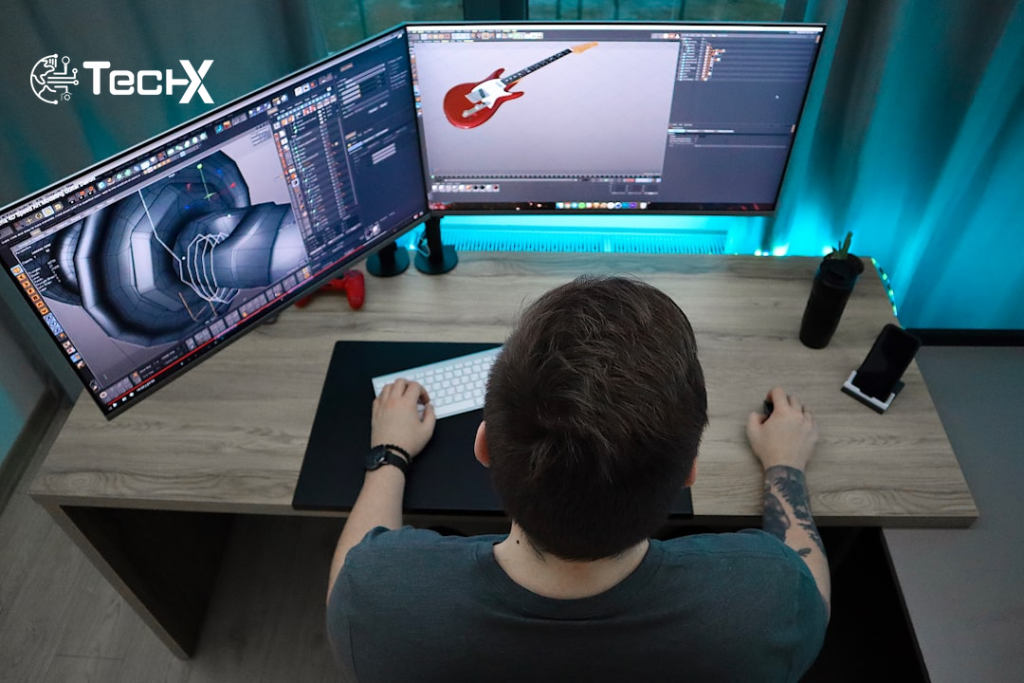
SFM compile is the step that turns raw 3D files into working assets inside Source Filmmaker. Without it, any custom model, texture, or animation you try to add will either crash the program or appear as the dreaded pink-and-black checkerboard error. If you are new to Source Filmmaker and wondering why your models refuse to show up, the SFM compile process is almost always the answer.
What Is SFM Compile?
SFM compile refers to the process of converting raw 3D asset files into a format that Source Filmmaker’s underlying engine, the Source Engine, can actually read and render.
Source Filmmaker is a powerful 3D animation tool developed by Valve, the creators of games like Half-Life, Team Fortress 2, and Portal. Originally an internal tool used by Valve to create promotional videos and in-game cutscenes, SFM was released to the public for free in 2012. It runs on the Source engine, the same game engine that powers many of Valve’s most popular titles.
Because SFM is built on the Source engine, it cannot just use standard 3D model files like .OBJ or .FBX directly. The engine requires assets to be in a specific, optimised format that it can read and render efficiently.
Think of it this way. The process bundles mesh geometry, texture references, bone rigs, and animation data into a single package that SFM can interpret. Only then does your model become usable inside a scene.
Why SFM Compile Cannot Be Skipped
Many beginners assume they can simply copy a model file into their SFM directory and expect it to appear in the viewport. In reality, every custom asset, whether it is a character, a prop, or an environmental piece, must pass through the compile stage before Source Filmmaker recognises it as usable content.
Compiled models are optimised specifically for real-time rendering within the viewport, which is essential given that Source Filmmaker operates as a what-you-see-is-what-you-get environment. Raw, uncompiled data would be far too heavy and unstructured for the engine to render smoothly during live editing sessions. This optimisation is precisely why the compile step cannot be skipped or shortcut, no matter how tempting it might seem when you are eager to get a new asset into your project.
This is not just a technical formality. It directly affects how efficiently a model renders, how physics interactions behave, and whether animations play back correctly inside a scene. Consider the physical body files, PHY format, which define collision and rigid body behaviour for props and characters. Without proper compilation, an object might clip through surfaces, ignore gravity, or fail to interact with the camera and lighting rig entirely.
What Files Are Involved in the SFM Compile Process
SFM compile takes 3D files exported as FBX or OBJ and converts them into MDL, VVD, VTX, and PHY outputs. Here is a simple breakdown of the key file types:
- .SMD or .DMX, these are the raw mesh and animation files you export from your 3D software
- .QC, a plain text script that tells the compiler how to build the model
- .MDL, the final compiled model that SFM loads and animates
- .VTF and .VMT, compiled texture and material files that SFM reads for correct colours and surface properties
To get started, make sure you have your model file (usually in .SMD or .DMX format) and a properly written .QC script ready. The QC file acts like an instruction sheet, telling SFM compile how to process your asset.
Tools You Need for SFM Compile
You do not need to spend money to compile models. Blender is the most common modelling tool among SFM creators. It costs nothing and has a strong plugin library for Source Engine exports.
The Blender Source Tools plugin allows you to export meshes and animations in SMD or DMX format, both of which are compatible with the Source Engine’s compiler.
For the actual SFM compile step, there are two main options:
- studiomdl.exe, Valve’s studiomdl.exe is the core compiler. It lives in the bin directory of your SFM installation and runs from the terminal.
- Crowbar, For creators who prefer a graphical interface, Crowbar wraps studiomdl in a visual interface with real-time logging and error output. Beginners usually prefer Crowbar because it shows errors in plain text without requiring command-line familiarity.
Alongside these tools, Notepad++ remains popular for writing and editing QC scripts, since these are plain text files that benefit from proper syntax highlighting.
You can get the Source SDK (which includes studiomdl.exe) free through Steam’s Source SDK Base.
Step-by-Step SFM Compile Workflow
Here is how a basic SFM compile job works from start to finish:
- Create or get your model, build it in Blender or Maya, or download a compatible model from the community
- Export to SMD or DMX, use the Blender Source Tools plugin to export the mesh and animations
- Write your QC file, this script defines the model name, materials folder, body groups, and animation sequences
- Run the compiler, open Crowbar, select the QC file, and start the compile process. The tool converts your SMD files into MDL format, generating all necessary model files that Source Filmmaker loads properly.
- Copy output files, after compilation, copy the MDL, VTX, VVD, and material files into the usermod folder. Launch Source Filmmaker, refresh the asset browser, and import your model or animation into the scene.
Common SFM Compile Errors and How to Fix Them
Most errors come from a small set of mistakes. Most SFM compile failures trace back to typos in file paths inside the QC script. Here are the most common problems and their fixes:
- Pink-and-black checkerboard, your texture path in the VMT file is wrong. Check that your .VTF and .VMT files are in the correct materials folder and match the path in your QC file
- Model does not appear, during compilation, the tool pulls together texture paths, skeletal data, physics meshes, and motion clips into one structured output. If any path is wrong or a file is missing, the model either will not appear or will render with the purple-and-black checkerboard that most SFM users recognise immediately
- Too many bones error, this occurs if your model exceeds Source engine limits, typically 256 bones. Try reducing bone count or splitting into parts
- Broken animations, bones or joints may be misaligned, causing animation errors. Re-check your skeleton in Blender and re-export
Tips to Keep Your SFM Compile Clean
Separate your project folders by type: scripts in one directory, textures in another, geometry in a third. This prevents path confusion during compilation.
Start with simple static props before attempting full character rigs with animation clips. Compile after each change rather than batching dozens of edits. That way, when something breaks, you know exactly what caused it.
Avoid spaces or special characters in any file name or folder name. The Source Engine does not handle them well and they can cause silent compile failures.
Render in image sequences, then stitch together with software like Adobe Premiere for the best quality output from your finished animation.
Frequently Asked Questions
What exactly does SFM compile do?
SFM compile refers to the process of converting 3D models, textures, and animations into a format that can be rendered in Source Filmmaker. Compilation is necessary because raw assets often cannot be directly used in the SFM environment. By compiling models, animators ensure they appear correctly and perform as expected in their projects.
Do I need coding skills to do SFM compile?
No specialised programming knowledge is required. However, you must understand how to modify QC (compile script) files, which use basic text instructions. These scripts guide the compiler and determine how the model works inside SFM.
What is a QC file and why is it important?
The QC file acts as the main instruction file for compilation. It defines the model name, file paths, materials location, skeleton settings, and animation links, ensuring Source Filmmaker reads everything correctly.
Is Crowbar better than studiomdl for beginners?
Crowbar wraps studiomdl in a graphical front end, letting you manage QC files, trigger compilations, and read error logs without touching the command line directly. Crowbar significantly lowers the entry barrier for beginners, and its drag-and-drop functionality has made it the go-to choice across SFM and wider Source modding communities.