
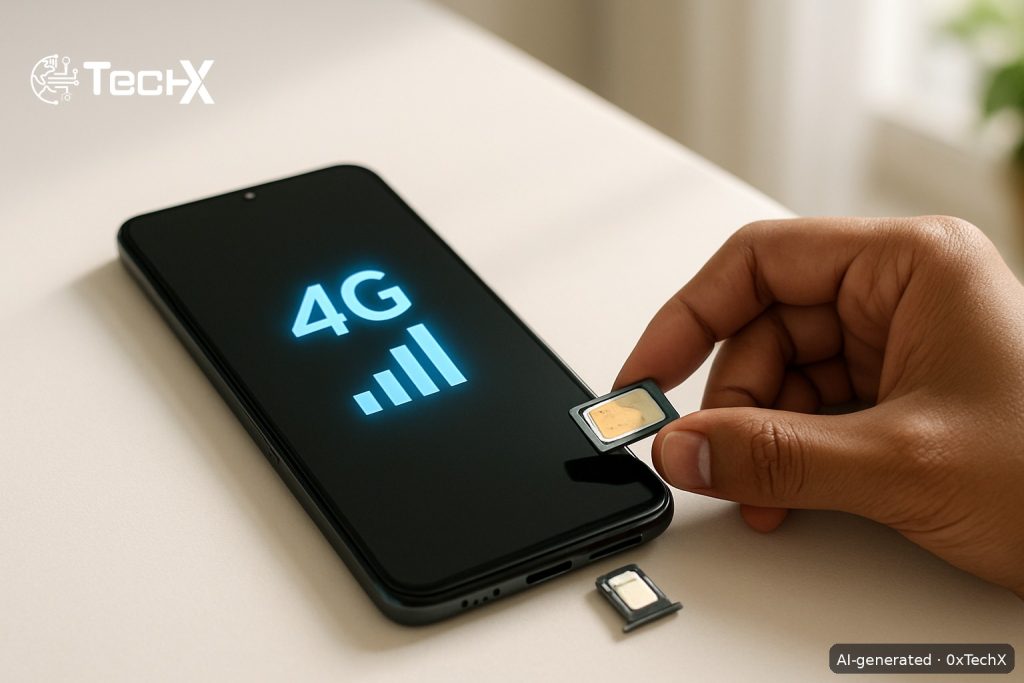
Zong SIM 4G activation in Pakistan takes just a few minutes. If you have an older Zong SIM that only shows 2G or 3G, or you have a brand-new Zong SIM and want to get 4G running, this guide covers every step, every code, and every common problem, all in one place.
What You Need Before You Start
- A 4G-capable Zong SIM (nano, micro, or standard size)
- A phone that supports 4G LTE (check your phone specs)
- Your CNIC (if you need a new or replacement SIM)
- Enough balance to subscribe to a data bundle (optional for activation, needed for internet use)
If your current Zong SIM is an old 2G or 3G card, you cannot upgrade it remotely. You must get a new physical 4G SIM from a Zong outlet. The upgrade offer is for prepaid customers with non-4G SIMs nationwide, meaning those still using older 2G or 3G SIMs.
Step 1: Get a Zong 4G SIM
If you already have a Zong SIM that shows a 4G icon on your phone, skip to Step 2.
If not, visit a Zong outlet to swap your old SIM for a free 4G card.
- You can get a Zong 4G SIM from the nearest CSC (Customer Service Centre), Franchise, or Retailer.
- Zong operates 22 customer service centres, 305 franchises, and 190,000 retail customer points nationwide. So finding one near you is easy.
- Bring your original CNIC. The SIM swap is done through Biometric Verification (BVS) on the spot.
- The SIM swap itself is free at most Zong outlets, though some retailers charge a small handling fee of around PKR 50 to PKR 100. Confirm before you agree.
Step 2: Insert the SIM and Restart Your Phone
- Turn off your phone completely.
- Insert the new Zong 4G SIM into the correct SIM slot.
- Turn the phone back on and wait for it to search for a network.
- You should see Zong 4G or LTE appear in your status bar within 1 to 2 minutes.
Insert the new SIM card, restart your device, and follow the activation prompts.
Step 3: Set Your Phone to 4G or LTE Mode
Sometimes your phone is set to 2G or 3G by default. You must manually switch it to 4G.
On Android
- Go to Settings
- Tap Connections (or Mobile Networks on some phones)
- Tap Mobile Networks
- Tap Network Mode or Preferred Network Type
- In the Preferred Network Type section, select the 4G/LTE option.
- Save and restart if prompted
On iPhone
- Go to Settings
- Tap Cellular (or Mobile Data)
- Tap Cellular Data Options
- Tap Voice and Data and select LTE
Step 4: Check and Set Your APN (If Internet Does Not Work)
Most Android phones have no issues retrieving the official LTE internet settings from the network automatically. But if your internet is not working after switching to 4G, set the APN manually.
Get Settings by SMS (Easiest Method)
Start a new text message from your Messages app, type all (without quotes) and send it to 2161. You will then receive Zong internet settings to your phone. Install them. Enter PIN code 1234 if prompted.
Set APN Manually on Android
Go to Settings, tap Connections, then Mobile Networks, then Access Point Names. Press Add and input the values below. Leave all other fields blank or as they are. Save the settings and restart your phone.
| Field | Value |
|---|---|
| Name | Zong Internet |
| APN | zonginternet |
| APN Type | default |
| Authentication Type | None |
| Username | (leave blank) |
| Password | (leave blank) |
Note: Zong 4G APN and Zong 3G APN are the same, which is zonginternet.
Set APN on iPhone
Go to Settings, then Cellular, then Cellular Data Network, then APN and enter zonginternet and save the settings.
Step 5: Claim Your New SIM Welcome Offer
Once your 4G SIM is active and connected, claim your free welcome data straight away.
- Dial *10# once after activating the SIM to get 4,000 MB (including 1 GB WhatsApp and 1 GB Facebook) and 1,000 on-net minutes for 7 days.
- If you are upgrading from an old 2G or 3G Zong SIM, insert your new 4G SIM into your device and dial *44# to activate the upgrade offer. This gives you 200 GB of free data, 2,000 off-net minutes, and 20,000 on-net minutes and SMS, which will expire in 30 days after activation.
Step 6: Subscribe to a 4G Data Bundle
Once you are on 4G, you need an active data bundle to browse. You can subscribe in three ways:
Via USSD Code
All internet bundles can be activated through the main *6464# menu, which is Zong’s central code for data offers. Dial it, then follow the on-screen menu to pick a daily, weekly, or monthly package.
Via My Zong App
Download the official My Zong App from the Play Store or App Store to browse, activate, and manage your bundles, track usage, and more. Log in with your Zong number, tap Bundles, then pick a data package and confirm.
Via Helpline
For assistance or package activation, dial 310 from your Zong number. A Zong agent can activate a bundle for you directly over the call.
Common Problems and Fixes
| Problem | Fix |
|---|---|
| Phone shows 2G or 3G even with a 4G SIM | Go to Settings and change Preferred Network Type to LTE or 4G as shown in Step 3 above |
| No signal after inserting SIM | Restart your phone. If the problem stays, reinsert the SIM and try again. Visit the nearest Zong service centre with your CNIC if signal still does not appear |
| 4G signal is there but internet is not working | Set APN to zonginternet manually as shown in Step 4, or text all to 2161 to get settings by SMS |
| Internet is slow even on 4G | Check if you have an active data bundle by dialing *102#. Also check if your Fair Usage Policy (FUP) limit has been reached |
| Cannot subscribe to bundles | Make sure you have enough balance. Recharge via Easypaisa, JazzCash, your bank app, or a scratch card from any retailer |
| My Zong App not logging in | Check your internet connection. Use a Wi-Fi network to log in for the first time if mobile data is not yet active |
Quick Reference: Key Zong Codes
| Action | Code |
|---|---|
| Check balance | *222# |
| Check your Zong number | *8# or *100# |
| Browse all data bundles | *6464# |
| Claim new SIM welcome offer | *10# |
| Claim 4G upgrade offer | *44# |
| Get internet settings by SMS | Send ‘all’ to 2161 |
| Zong helpline | 310 |
Frequently Asked Questions
Can I upgrade my old Zong SIM to 4G without visiting a shop?
No. If your current SIM is a 2G or 3G card, you must visit a Zong outlet in person for a physical SIM replacement. You need your CNIC for biometric verification. The upgrade offer is only for customers with older non-4G SIMs and is claimed by dialing *44# on the new 4G SIM.
Is Zong SIM 4G activation free?
Yes, activating 4G on a new Zong SIM is free. The SIM swap from an old card to a new 4G card is also typically free at official Zong CSCs and franchises. Data bundles are separate and charged at normal package rates. After the free welcome data runs out, standard out-of-bundle (OOB) rates apply, costing Rs. 1 per MB.
How do I know if my phone supports Zong 4G?
Your phone must support LTE Band 3 (1800 MHz) or Band 1 (2100 MHz) to work with Zong 4G. Zong is currently deploying, via carrier aggregation, 15 MHz of Band 3 (1800 MHz) and 10 MHz of Band 1 (2100 MHz) for LTE-A. You can check your phone’s supported bands in the phone settings or look up your phone model online. Most smartphones sold in Pakistan after 2017 support these bands.
What if my 4G is active but the speed is very slow?
First, check your active bundle by dialing *102# to see remaining data. If your bundle data is finished, your speed will drop to a very low rate. Recharge and subscribe to a new bundle via *6464# or the My Zong App. Also check your location since 4G speed varies by area. Zong is Pakistan’s second-largest mobile service provider with 44 million 4G subscribers and over 15,000 4G-enabled sites across Pakistan, so coverage is wide but signal strength can still vary in some areas.