
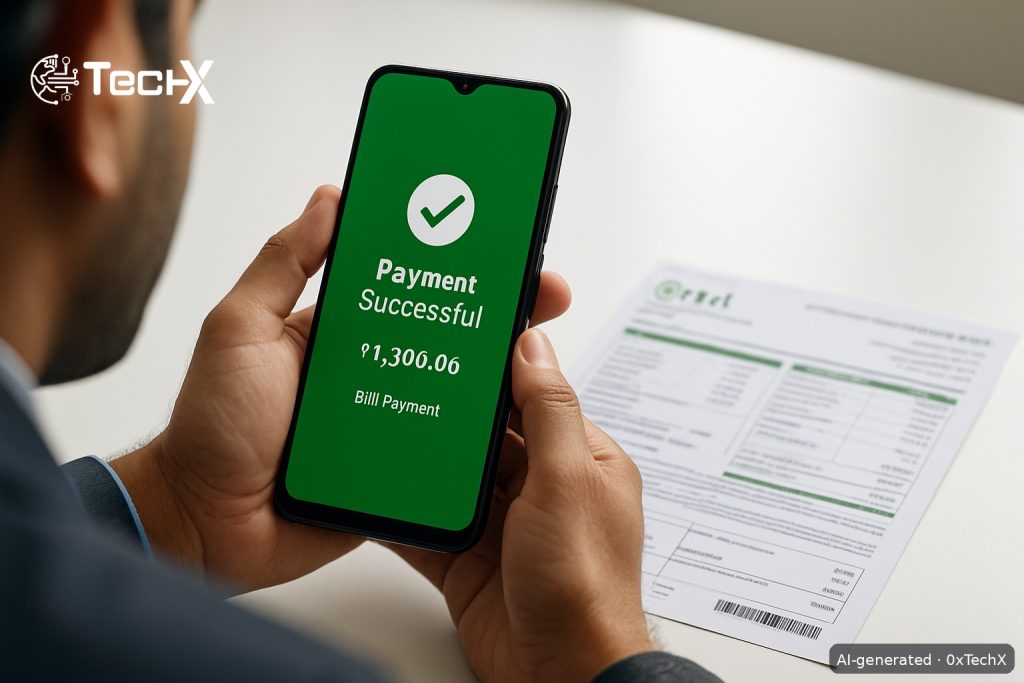
PTCL bill payment online through JazzCash or Easypaisa takes under two minutes from your phone. You do not need to visit a PTCL office, stand in a bank queue, or carry cash. Both apps are free to download, work 24/7, and send you a confirmation SMS the moment your payment goes through.
What You Need Before You Start
- Your PTCL Account Number (also called Consumer ID or Account ID). You will find this on your printed bill, top right corner.
- A registered JazzCash or Easypaisa account with enough balance to cover your bill amount.
- A working internet connection on your phone.
If your physical bill has not arrived, go to ptcl.com.pk, click on Check Bill, and enter your Account ID to view and download a duplicate copy.
PTCL Bill Payment Online via JazzCash App
JazzCash is powered by Mobilink Microfinance Bank and is one of the most widely used digital wallets in Pakistan. Here are the exact steps:
- Open the JazzCash app on your Android or iPhone.
- Log in using your 5-digit MPIN.
- On the home screen, tap Bill Payment.
- Select Internet / Telephone from the category list.
- You will see a list of billers. Choose PTCL (for landline) or PTCL EVO Postpaid / PTCL EVO Prepaid if you are paying for an EVO internet device.
- Enter your PTCL Account Number / Consumer ID. Double-check every digit.
- The app will fetch your bill details automatically, showing the amount due and the due date.
- You can choose Full Payment or Partial Payment if you want to pay only part of the bill.
- Enter your MPIN to confirm the payment.
- You will receive a confirmation SMS on your Jazz number instantly. Screenshot or save it as proof.
Pay PTCL Bill via JazzCash USSD (No Internet Needed)
If you have no data or Wi-Fi, you can still pay through the JazzCash USSD menu on any Jazz SIM:
- Dial *786# from your Jazz number.
- Select 2. Pay Bills.
- Select 5. Internet.
- Choose the relevant PTCL service (for example, PTCL EVO Postpaid).
- Enter your PTCL Account Number.
- Choose Full Payment or Partial Payment.
- Enter your MPIN to confirm. Done.
To find your nearest JazzCash agent if you need to top up your wallet first, SMS M to 2179.
PTCL Bill Payment Online via Easypaisa App
Easypaisa is operated by Telenor Microfinance Bank and has over 30 million users across Pakistan. Follow these steps:
- Open the Easypaisa app on your phone. If you do not have it, download it free from the Google Play Store or Apple App Store.
- Log in with your 5-digit PIN, or use face/fingerprint ID if you have set it up.
- From the home screen, tap Bill Payment.
- Select Internet / Telephone as the bill category.
- From the biller list, select PTCL. Important: Do not tap the separate Internet category if you are paying a standard PTCL landline or broadband bill. Select PTCL directly.
- Enter your PTCL Account ID / Consumer ID / PTCL Landline Number in the box and tap Next.
- Your bill details will appear on screen, including the consumer name, bill month, amount due, and due date. Verify these carefully.
- Tap Pay Now to confirm.
- Your PTCL bill is paid. A confirmation screen with transaction details will appear. Save a screenshot of this screen as proof of payment.
You will also receive a confirmation SMS from Easypaisa on your registered number.
Fees for Paying PTCL Bill Online
| Method | Fee (PKR) | Notes |
|---|---|---|
| JazzCash App (wallet balance) | Rs. 0 (usually free) | No service fee for standard utility bill payment from wallet |
| JazzCash USSD (*786#) | Rs. 0 (usually free) | Normal call charges may apply |
| Easypaisa App (wallet balance) | Rs. 0 (usually free) | No service fee for standard utility bill payment from wallet |
| PTCL Touch App (card payment) | Bank card surcharge may apply | Depends on your card issuer |
| Late payment surcharge (PTCL) | Added automatically to next bill | Pay before the due date to avoid this |
Fees can change. Always check the final confirmation screen in the app before you tap Pay, as any applicable fee will be shown there before you confirm.
Common Problems and How to Fix Them
Problem: Account number not found or bill not fetching
Make sure you are entering the correct Account ID, not your landline phone number (they are different). Your Account ID is printed on your PTCL bill. Also check that you selected the right biller (PTCL, not PTCL EVO, unless you have an EVO device).
Problem: Insufficient balance in wallet
Top up your JazzCash or Easypaisa wallet by visiting any nearby agent (kiryana shop, mobile shop) or by transferring funds from your bank account inside the app under Add Money.
Problem: Payment deducted but PTCL line still showing unpaid
This sometimes happens during peak hours. Wait up to 24 hours. PTCL accounts update in real time for most transactions, but occasional delays do occur. If the issue continues after 24 hours, call PTCL helpline 1218 and share your JazzCash or Easypaisa transaction ID and reference number from your confirmation SMS.
Problem: App giving an error or crashing
Update your JazzCash or Easypaisa app to the latest version from the Play Store or App Store. Clear the app cache in your phone settings. If the app still fails, use the USSD method (*786# for JazzCash) as a backup, or visit a JazzCash or Easypaisa agent who can process the payment for you over the counter.
Problem: No confirmation SMS received
Check your in-app notification centre inside the JazzCash or Easypaisa app. Your transaction history will show the payment status. If the payment shows as successful there, it went through even if the SMS was delayed.
Quick Tips for Pakistani PTCL Users
- Always pay at least 2 days before the due date to be safe, in case of any system delays.
- Save every payment receipt screenshot. You may need it if PTCL disputes a payment.
- Use only the official JazzCash and Easypaisa apps. Do not pay through unknown third-party websites.
- Enable SMS alerts in both apps so you get notified of every transaction.
- If your PTCL line gets suspended for non-payment, a successful online payment through JazzCash or Easypaisa should restore it automatically within a short time.
Frequently Asked Questions
Can I pay my PTCL bill through JazzCash without a smartphone?
Yes. If you do not have a smartphone or data, dial *786# from any Jazz SIM, go to Pay Bills, then Internet, and follow the menu. You can complete the whole payment using basic USSD without needing the app or an internet connection.
Do I need a Telenor SIM to use Easypaisa?
No. You can create and use an Easypaisa account with any SIM network. You just need to register with your CNIC and phone number. Your SIM operator does not have to be Telenor.
Is it safe to pay my PTCL bill through these apps?
Yes. Both JazzCash and Easypaisa are licensed by the State Bank of Pakistan and use encrypted, secure connections to process payments. As long as you use the official apps downloaded from the Google Play Store or Apple App Store, your payment is safe.
What is my PTCL Account ID and where do I find it?
Your PTCL Account ID (also called Consumer ID) is a unique number printed on your monthly PTCL bill, usually in the top section. It is different from your landline phone number. If you do not have your physical bill, visit ptcl.com.pk and use the Check Bill option to find it.