
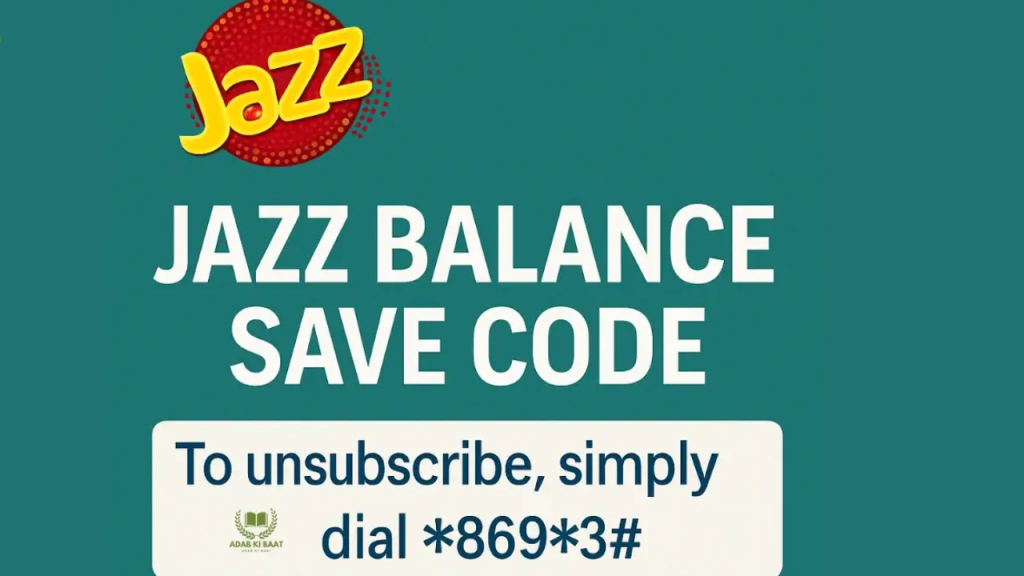
In today’s digital age, staying connected with your mobile balance and packages is essential. Jazz, Pakistan’s leading telecom operator with over 75 million subscribers, offers a comprehensive range of USSD codes that allow you to check your balance, internet data, call minutes, and active packages within seconds.
Whether you’re a prepaid or postpaid Jazz user, understanding these basic codes can save you time and help you manage your account efficiently. This complete guide covers all Jazz balance check codes, internet balance verification methods, and essential USSD shortcuts you need in 2026.
Why This Guide?
- ✅ Updated for February 2026
- ✅ Works for both prepaid and postpaid users
- ✅ Includes all official Jazz codes
- ✅ Step-by-step instructions in English and Urdu
- ✅ Troubleshooting tips included
What Are USSD Codes?
USSD (Unstructured Supplementary Service Data) codes are quick codes that you can dial from your mobile phone to access various services without needing an internet connection. These codes typically start with an asterisk (*) and end with a hash (#).
Benefits of Using USSD Codes:
- No Internet Required: Works on all phones, even basic feature phones
- Instant Results: Get information in 2-3 seconds
- 100% Free: No charges for dialing USSD codes
- Secure: Direct connection to Jazz network
- Universal: Works across all Pakistani cities and regions
Jazz Balance Check Code: *111#
The Main Balance Check Code
The primary code to check your Jazz balance is *111#. This is the most commonly used code and works for both prepaid and postpaid users.
How to Check Jazz Balance:
*Method 1: Using 111# (Recommended)
- Open your phone’s dialer
- Type
*111# - Press the call button
- Your balance will appear on screen within 2-3 seconds
What Information You’ll See:
- Current main account balance
- Validity/expiry date
- Last recharge amount (sometimes)
Example Response:
Dear Customer,
Your balance is Rs. 45.50
Valid till: 15-Feb-2026
Alternative Balance Check Methods:
Method 2: SMS to 111
- Type “BAL” and send SMS to 111
- You’ll receive your balance details via SMS
- Charges may apply (Rs. 0.10 + tax)
Method 3: My Jazz App
- Download the My Jazz app from Play Store/App Store
- Login with your Jazz number
- View real-time balance on dashboard
- Advantage: Shows detailed breakdown of all balances
Method 4: Call 111 (Customer Service)
- Dial 111 from your Jazz number
- Free call from Jazz network
- Follow IVR instructions to check balance
- Takes 2-3 minutes
For Postpaid Users:
Postpaid Jazz users can also use *111# but will see different information:
- Current month’s bill amount
- Last payment date
- Due date for payment
- Outstanding amount (if any)
Urdu Guide – جاز بیلنس چیک کریں:
1. اپنے فون کی ڈائلر کھولیں
2. *111# ٹائپ کریں
3. کال بٹن دبائیں
4. آپ کا بیلنس 2-3 سیکنڈ میں ظاہر ہو جائے گا
Jazz Number Check Code: *99#
Find Your Jazz Number Instantly
Forgot your Jazz number? No problem! Simply dial *99# to view your own mobile number.
How to Check Your Jazz Number:
Step-by-Step Process:
- Open phone dialer
- Dial
*99# - Press call button
- Your Jazz number will display on screen
Example Response:
Your Jazz Number is:
0300-1234567
Why You Might Need This:
- ✅ New SIM activation
- ✅ Sharing number with others
- ✅ Verification purposes
- ✅ Forgotten number after long storage
Alternative Methods to Check Jazz Number:
Method 1: Check SIM Card
- Remove SIM from phone
- Number is often printed on SIM card
Method 2: Call Another Number
- Call a friend/family member
- Your number will show on their screen
Method 3: Settings Menu
- Go to Settings → About Phone → Status
- Your number may be listed (if saved)
Method 4: My Jazz App
- Open My Jazz app
- Your number displays on main screen
Jazz Internet Balance Check
Check Your Jazz Data Balance
Jazz offers multiple ways to check your internet/data balance. Here are all the methods:
Primary Code: *117#
Method 1: Dial *117#
- Most popular internet balance check code
- Shows all internet packages with remaining data
- Displays expiry dates
- Works for all Jazz internet bundles
What You’ll See:
Internet Packages:
1. Daily Mega - 850 MB remaining
   Valid till: 13-Feb-2026
2. Monthly Browser - 1.5 GB remaining
   Valid till: 28-Feb-2026
Alternative Code: *110#
Method 2: Dial *110#
- Another official code for data balance
- Also shows call minutes balance
- Comprehensive package overview
Package-Specific Balance Check
*Method 3: Dial Package Code + 2#
If you want to check a specific package:
- Weekly Mega:
*159*2# - Daily Mega: Dial package code then
*2# - Monthly packages: Use specific code +
*2#
Advanced Internet Balance Codes:
| What to Check | Code to Dial |
|---|---|
| All Internet Packages | *117# |
| Daily Package Status | *303*1# |
| Weekly Package Status | *303*7# |
| Monthly Package Status | *303*30# |
| 3G/4G Packages | *443# (Prepaid) |
| Postpaid Internet | *446# |
Checking via My Jazz App:
The My Jazz App provides the most detailed internet balance view:
- Open My Jazz app
- Tap on “Internet Balance” section
- View:
- Total remaining data
- Package-wise breakdown
- Peak vs off-peak data (if applicable)
- Expiry dates for each package
- Data usage history
Pro Tip: Enable push notifications in My Jazz app to get alerts when your data is running low (below 20%).
Jazz Minutes and SMS Check
How to Check Call Minutes Balance
Jazz provides separate codes to check your remaining call minutes and SMS balance.
Check Call Minutes: *110#
Method 1: Dial *110#
- Shows all available call minutes
- Displays Jazz-to-Jazz minutes
- Shows other network minutes
- Includes package details
Example Response:
Minutes Balance:
1. Jazz Minutes: 450 (Monthly Super Duper)
   Valid till: 28-Feb-2026
2. Other Network: 80 mins
   Valid till: 28-Feb-2026
Check SMS Balance
*Method 1: Package Code + 2#
- Most packages don’t have a dedicated SMS check code
- Use your package’s main code followed by
*2# - Example: If you have Monthly Super Duper (
*706#), dial*706*2#
Method 2: My Jazz App
- Most accurate for SMS balance
- Shows SMS used vs remaining
- Package-wise breakdown
Combined Balance Check:
Some packages show everything together:
*443#– Shows internet, minutes, SMS (Prepaid)*446#– Shows all balances (Postpaid)
Jazz Package Status Codes
Check All Active Packages: *443#
The *443# code is your one-stop solution for checking all active packages.
How to Use *443#:
- Dial
*443#from your Jazz number - Press call button
- You’ll see a menu showing:
- All active internet packages
- Call packages
- SMS packages
- Bundle packages
- Validity dates
Package Categories You Can Check:
| Package Type | Status Check Code |
|---|---|
| All Packages Overview | *443# |
| Daily Packages | *303*1# |
| Weekly Packages | *303*7# |
| Monthly Packages | *303*30# |
| Social Media Bundles | Check via specific bundle code + *2# |
| Roaming Packages | *106# |
Understanding Package Status Responses:
When you dial package status codes, you’ll see information like:
Active Packages:
1. Daily Mega
   Data: 850 MB / 1 GB
   Valid: 13-Feb-2026 11:59 PM

2. Monthly Voice Offer
   Minutes: 2340 / 5000
   Valid: 28-Feb-202
Key Information Displayed:
- Package name
- Remaining resources (data/minutes/SMS)
- Total allocation
- Expiry date and time
- Subscription date
Subscription Status Codes:
To check if auto-renewal is active:
- Some packages auto-renew if balance is available
- Check in My Jazz app under “Package Settings”
- Or call 111 and inquire
Jazz Basic Codes Complete List
Essential Jazz USSD Codes Reference Table
Here’s a comprehensive list of all basic Jazz codes you need to know:
Account Information Codes:
| Service | Code | Details |
|---|---|---|
| Balance Check | *111# |
Main account balance |
| Number Check | *99# |
View your Jazz number |
| CNIC Verification | *8# |
Check SIM registration status |
| SIM Owner Name | Text “MNP” to 667 | Shows registered name |
Internet & Data Codes:
| Service | Code | Details |
|---|---|---|
| Internet Balance | *117# |
All data packages |
| Internet Balance (Alt) | *110# |
Data + minutes |
| Daily Package Status | *303*1# |
Today’s packages |
| Weekly Package Status | *303*7# |
Week packages |
| Monthly Package Status | *303*30# |
Monthly packages |
| Internet Packages Menu | *443# |
Subscribe to packages |
Call & SMS Codes:
| Service | Code | Details |
|---|---|---|
| Minutes Check | *110# |
Remaining call minutes |
| Package Status | *443# |
All active bundles |
| Call History | Check in My Jazz app | Detailed call logs |
Service & Support Codes:
| Service | Code | Details |
|---|---|---|
| Customer Support | 111 |
Call center (free) |
| Complaint Registration | 1234 |
File complaints |
| Balance Share | *100*03XX1234567*Amount# |
Share balance |
| Call Block/Unblock | *99*Number# |
Block calls |
| Caller Tune | *230# |
Set ringback tone |
Value-Added Services:
| Service | Code | Details |
|---|---|---|
| Advance Balance | *112# |
Get Rs. 15 loan |
| Balance Save | *275# |
Free balance protection |
| Doosra Balance | *869# |
Secondary balance service |
| Full Balance Offer | *408# |
No tax deduction (Rs. 200+ recharge) |
Utility Codes:
| Service | Code | Details |
|---|---|---|
| Stop All Services | *6# |
Unsubscribe from VAS |
| Network Settings | *#*#4636#*#* |
Android network info |
| Device IMEI | *#06# |
Check phone IMEI |
How to Use Jazz USSD Codes
Step-by-Step Tutorial for Beginners
If you’re new to using USSD codes, here’s a complete tutorial:
Basic Process:
Step 1: Open Phone Dialer
- Locate the phone/dialer app on your device
- This is usually a green phone icon
Step 2: Enter the Code
- Type the exact code (e.g.,
*111#) - Make sure to include * (asterisk) and # (hash)
- Double-check for accuracy
Step 3: Press Call/Dial Button
- Press the green call button
- Wait 2-5 seconds
Step 4: Read the Response
- Information will appear on screen
- For menu-based codes, select option by typing number
- Press “OK” or “Send” to proceed
Step 5: Navigate Menus (if applicable)
- Some codes show interactive menus
- Type the number of your choice
- Press “Send” to select
Example Walkthrough – Checking Internet Balance:
1. Open dialer
2. Type: *117#
3. Press call
4. Screen shows:
   "Jazz Internet Packages
   1. View Balance
   2. Subscribe
   3. Manage Packages"
5. Type: 1
6. Press: Send
7. View your data balance
Important Tips:
✅ Always include * and # – Don’t forget these symbols ✅ Use correct format – Space and dashes matter in some codes ✅ Wait for response – Don’t exit immediately ✅ Save important codes – Keep a note in your phone ✅ Check signal strength – USSD codes need network connection
Common Mistakes to Avoid:
❌ Typing O instead of 0 – Use zero, not letter O ❌ Missing # at the end – Code won’t work ❌ Adding spaces – Don’t add spaces in codes ❌ Wrong asterisk – Use * from numeric keypad ❌ Exiting too quickly – Wait for full response
Troubleshooting Common Issues
What If USSD Codes Don’t Work?
Sometimes you might face issues with Jazz codes. Here are solutions:
Issue 1: “Connection Problem” or “Request Failed”
Possible Causes:
- Poor network signal
- Network congestion
- Temporary server issue
Solutions:
- ✅ Check signal strength (should be 2+ bars)
- ✅ Move to an area with better coverage
- ✅ Restart your phone
- ✅ Remove and reinsert SIM card
- ✅ Try after 5-10 minutes
- ✅ Call 111 for manual assistance
Issue 2: Code Shows “Invalid Request”
Possible Causes:
- Typed code incorrectly
- Code is outdated or discontinued
- Service not available in your area
Solutions:
- ✅ Double-check code spelling
- ✅ Verify code from official Jazz website
- ✅ Ensure you’re using latest code (2026 updated)
- ✅ Try alternative code for same service
Issue 3: Response Comes in Urdu (Want English)
Solution:
- Language settings are managed by Jazz system
- Some codes default to Urdu
- Use My Jazz app for English interface
- Change phone language to English for better results
Issue 4: Balance Shows Zero Despite Recharge
Possible Causes:
- Recharge not processed yet
- Technical delay
- Wrong number recharged
- Scratch card issue
Solutions:
- ✅ Wait 5-10 minutes for processing
- ✅ Verify recharge receipt/confirmation SMS
- ✅ Check if auto-renewal consumed balance
- ✅ Dial
*111#again after 15 minutes - ✅ Call 111 with recharge details
Issue 5: Can’t Check Package Status
Solution:
- ✅ Ensure package is active (not expired)
- ✅ Use correct package status code
- ✅ Check
*443#for complete package list - ✅ Verify via My Jazz app
- ✅ Call 111 for package confirmation
When to Contact Jazz Support:
Contact 111 if:
- USSD codes consistently fail
- Balance discrepancies persist after 24 hours
- Unable to subscribe to packages
- Technical issues with multiple codes
- Need package activation confirmation
Frequently Asked Questions (FAQs)
1. What is the Jazz balance check code?
Answer: The main Jazz balance check code is *111#. Simply dial this code and press call to view your current balance, validity date, and account status. This code works for both prepaid and postpaid Jazz users across Pakistan.
2. How can I check my Jazz number?
Answer: Dial *99# from your Jazz SIM to instantly view your mobile number on the screen. Alternatively, you can:
- Check the SIM card itself (number is often printed)
- Call another number and check caller ID
- Use the My Jazz app which displays your number on the home screen
3. What is the code to check Jazz internet balance?
Answer: Use *117# to check your Jazz internet balance. This code displays all active data packages, remaining MBs/GBs, and expiry dates. You can also use *110# as an alternative code that shows both data and call minutes.
4. How do I check my Jazz package status?
Answer: Dial *443# to view all your active Jazz packages including internet, calls, and SMS bundles. For specific packages:
- Daily packages:
*303*1# - Weekly packages:
*303*7# - Monthly packages:
*303*30#
5. Are Jazz USSD codes free to use?
Answer: Yes, all Jazz USSD codes are completely free to dial. You won’t be charged for checking your balance, internet data, or package status using codes like *111#, *117#, or *443#. However, SMS-based queries to 111 may incur a small charge (Rs. 0.10 + tax).
6. Why is my Jazz balance zero after recharge?
Answer: If your balance shows zero after recharge:
- Wait 5-10 minutes for processing
- Check if auto-renewal deducted amount for an active package
- Verify you recharged the correct number
- Dial
*111#again to refresh - If issue persists after 24 hours, call 111 with your recharge receipt
7. How can I check Jazz call minutes?
Answer: Dial *110# to check your remaining call minutes. This code shows:
- Jazz-to-Jazz minutes
- Other network minutes
- Package validity dates You can also check minutes in the My Jazz app under “Package Details.”
8. What is the code for Jazz customer support?
Answer: Dial 111 from your Jazz number for free customer support. You can also:
- Use My Jazz app live chat
- Email: [email protected]
- Visit Jazz Business Centers
- Call complaint hotline:
1234
9. How do I stop auto-renewal of Jazz packages?
Answer: Auto-renewal settings vary by package. To disable:
- Open My Jazz app → Manage Packages → Disable Auto-Renewal
- Call 111 and request manual deactivation
- For specific packages, use unsubscribe codes (e.g.,
*515*4#for 15-day package)
10. Can I use Jazz codes while roaming?
Answer: Yes, most Jazz USSD codes work internationally when you’re roaming, but:
- International roaming must be activated
- Some codes may not work on all foreign networks
- Check roaming packages:
*106# - Balance and package checks should work normally
11. What is *443# in Jazz?
Answer: *443# is the Jazz package management code that shows:
- All active internet packages
- Active call bundles
- SMS packages
- Remaining balances
- Validity dates It’s also used to subscribe to new packages.
12. How to check if my Jazz SIM is registered?
Answer: Dial *8# to check your Jazz SIM registration status. This code shows if your SIM is properly registered with your CNIC and displays biometric verification status.
13. What is Jazz balance save code?
Answer: Jazz offers *275# as a free balance save code. This service protects your balance from unwanted deductions. To activate:
- Dial
*275# - Free of cost
- 30-day validity
- Unsubscribe:
*275*4#
14. How can I share balance on Jazz?
Answer: To share balance with another Jazz user:
- Code:
*100*03XXXXXXXXX*Amount# - Example:
*100*03001234567*50# - Minimum: Rs. 15
- Maximum: Rs. 500 per day
- Service charges apply (Rs. 4.77 including tax)
15. Why are Jazz codes not working?
Answer: Common reasons and fixes:
- Poor signal – Move to better coverage area
- Incorrect code – Verify spelling and format
- Network issue – Restart phone or wait 10 minutes
- Outdated code – Check for updated 2026 codes
- SIM issue – Remove and reinsert SIM If problems persist, call 111.
Conclusion
Understanding Jazz balance check codes and basic USSD shortcuts is essential for every Jazz user in Pakistan. Whether you need to check your balance with *111#, verify your internet data using *117#, or view package status through *443#, these codes provide instant access to your account information without requiring internet connectivity.
Key Takeaways:
✅ Main Balance: *111# – Check instantly anytime ✅ Internet Balance: *117# – View all data packages ✅ Package Status: *443# – Complete overview ✅ Your Number: *99# – Never forget again ✅ Call Minutes: *110# – Track usage
Remember:
- All USSD codes are 100% free to use
- No internet connection required
- Works on all phones (smartphones and feature phones)
- Instant results in 2-3 seconds
- Updated for 2026
Next Steps:
- Save Important Codes: Bookmark this page or save codes in your phone
- Download My Jazz App: For detailed analytics and history
- Enable Alerts: Get low balance notifications
- Contact Support: Call 111 if you face any issues
Stay connected, stay informed, and manage your Jazz account efficiently with these simple yet powerful USSD codes!
Additional Resources
- Official Jazz Website: www.jazz.com.pk
- My Jazz App: Available on Google Play and App Store
- Jazz Support: Call 111 (24/7)
- Jazz WhatsApp: Send “Hi” to Jazz official WhatsApp
Last Updated: February 2026 | Verified: All codes tested and working
Disclaimer: Jazz reserves the right to modify or discontinue any service. Codes and prices mentioned are accurate as of February 2026. Please verify from official Jazz sources for the latest information.